The AI voice, in earbuds.
On every paid plan, people tap Listen and hear each sentence read aloud by an AI voice: the translation in their language, or, on a phone in the language being spoken, the words as said. There is nothing to switch on and no hours to count; a language without a voice stays captions only.
- Plans
- Chapel, Church and Campus, and the free month
- Hours
- None to count, under fair use
- Switched on
- By itself, in each language with a voice
- Whose voice
- A standard AI voice, or your own on Church and Campus
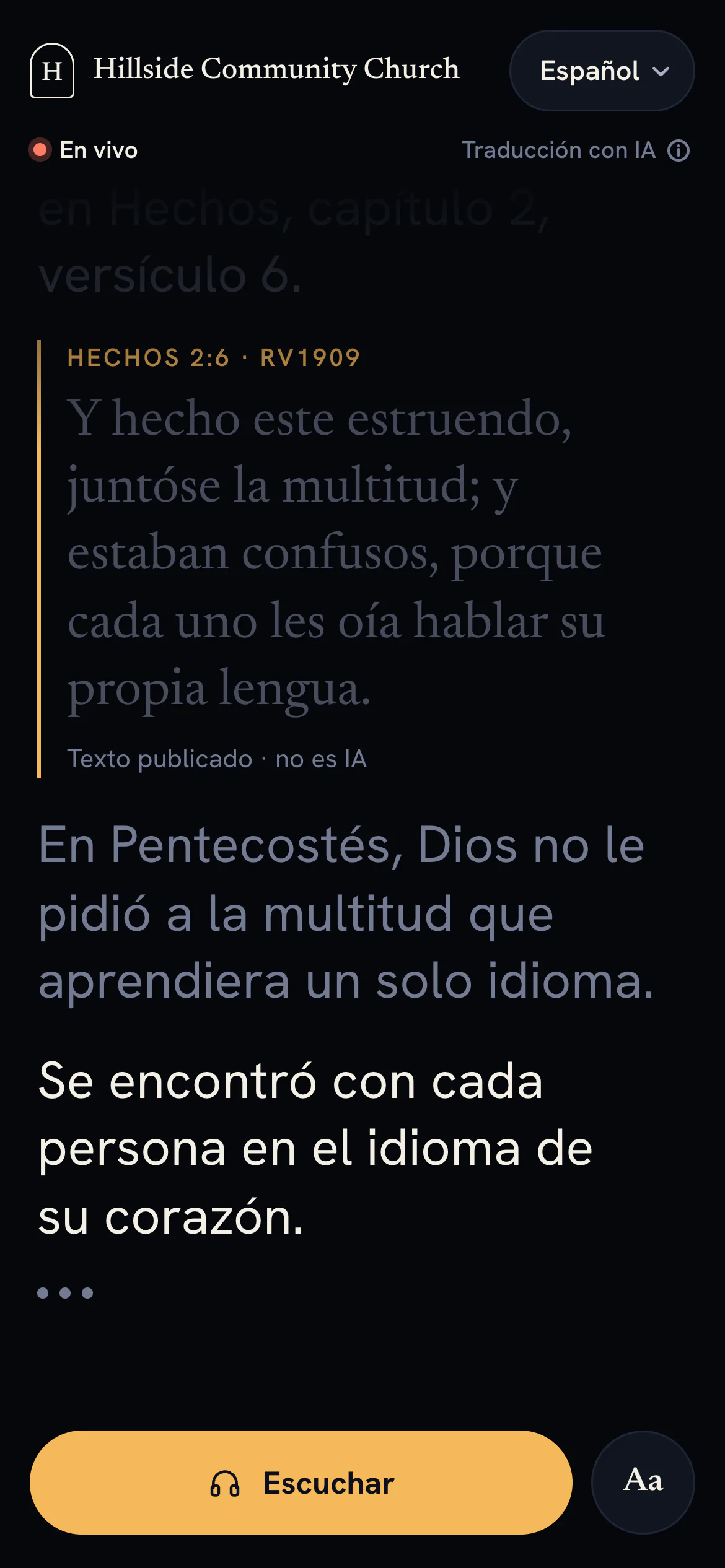
Listen, off
The captions alone.
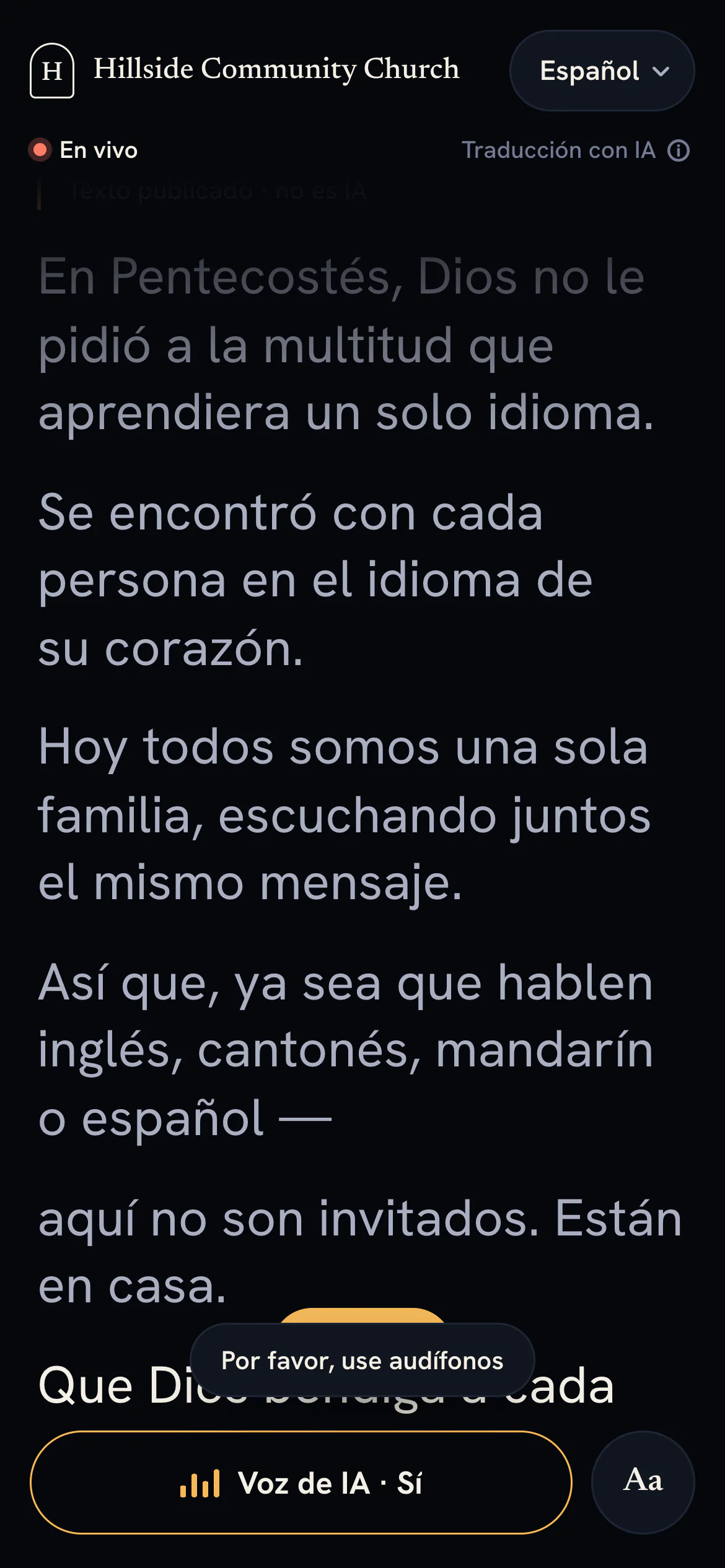
Listen, on
The voice reads each sentence.
How people listen
- Put earbuds in, and tap Listen at the bottom of the page. Tapped before the service, it says the voice starts with the service.
- The voice reads each sentence as it arrives. The first time, the phone says Please use earphones, so the pew stays quiet.
- Lock the phone if you like: the voice keeps playing. Changing language moves the voice to the new one.
Someone reading the language being spoken hears the words as said, in the standard AI voice: a help for anyone who doesn’t hear well, or sits far from a speaker.
Which languages have a voice
Each of your languages that has an AI voice gets it, by itself, on every paid plan; on Church and Campus, and in the free month, so do the other languages visitors choose. On a phone in a language without a voice, Listen is quieter, and a tap says there is no AI voice in that language yet. Captions carry on as normal.
During the service, Go live’s Phones card says how many phones are listening.
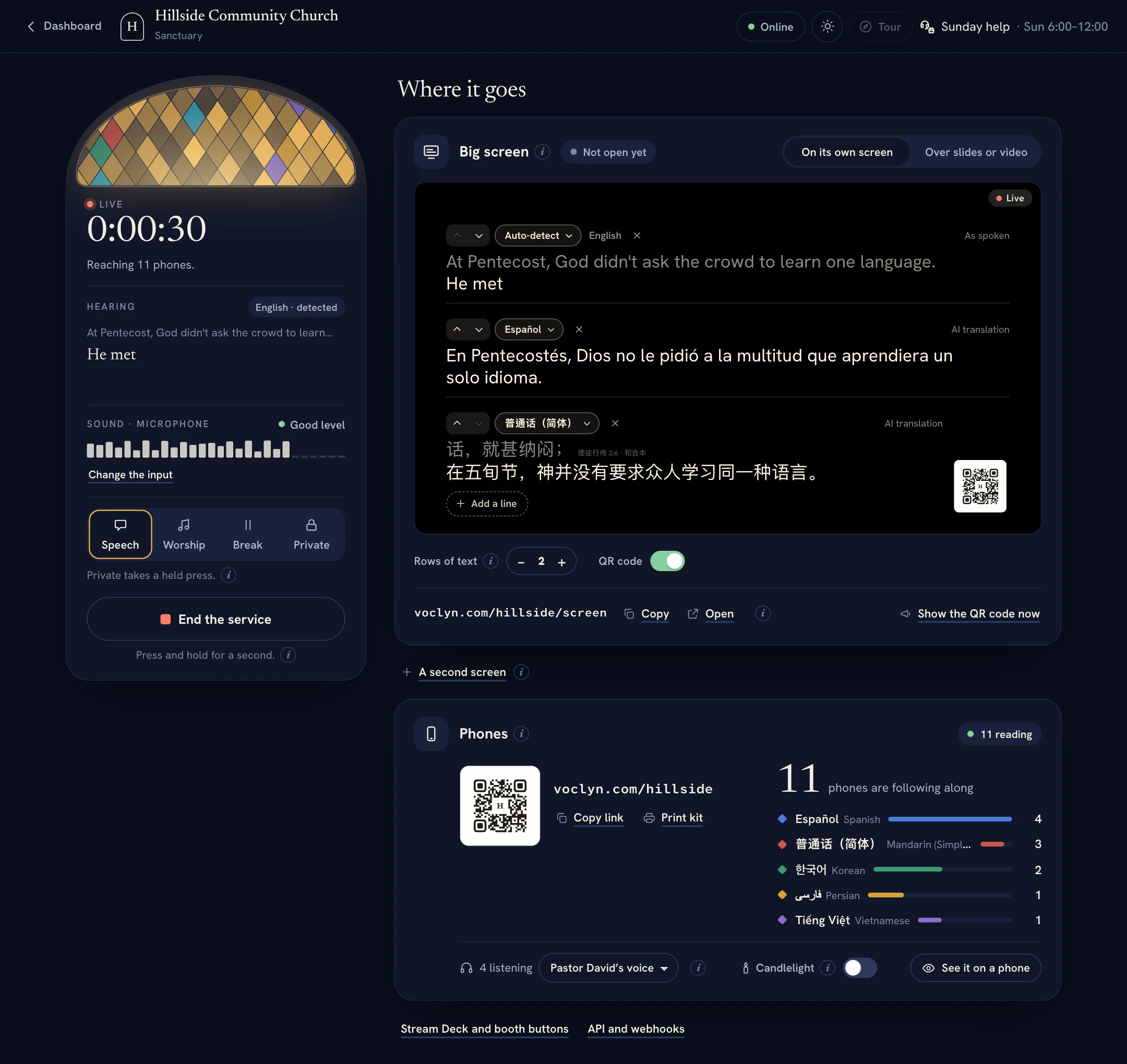
Hear it at the desk
In Go live’s Phones card, See it on a phone opens the page people see, beside the desk. Choose a language and press Listen: its AI voice plays on the console’s computer.
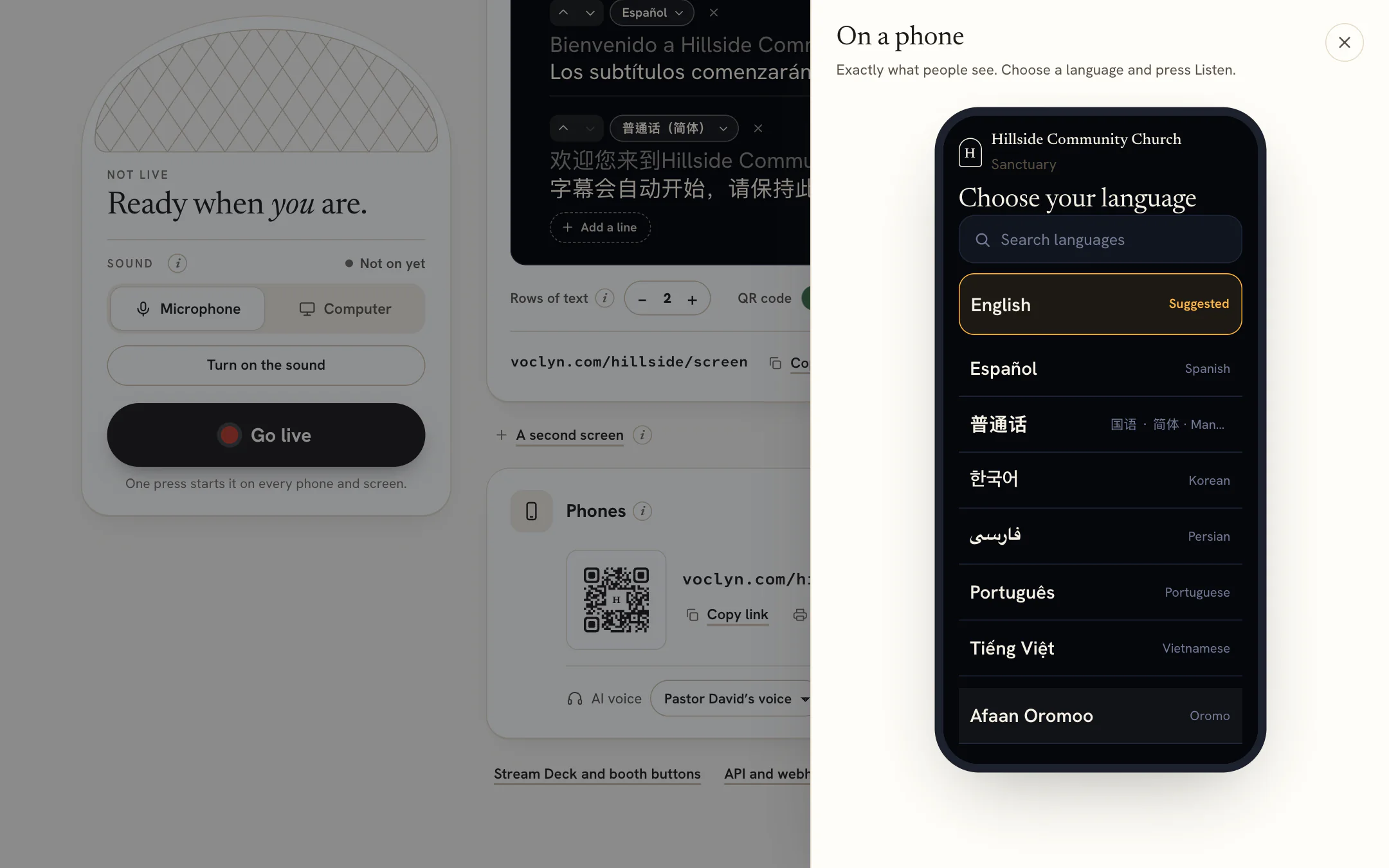
Listen at the desk in headphones, never on a speaker near a microphone: the voice would be heard by the room and the console.
Whose voice it is
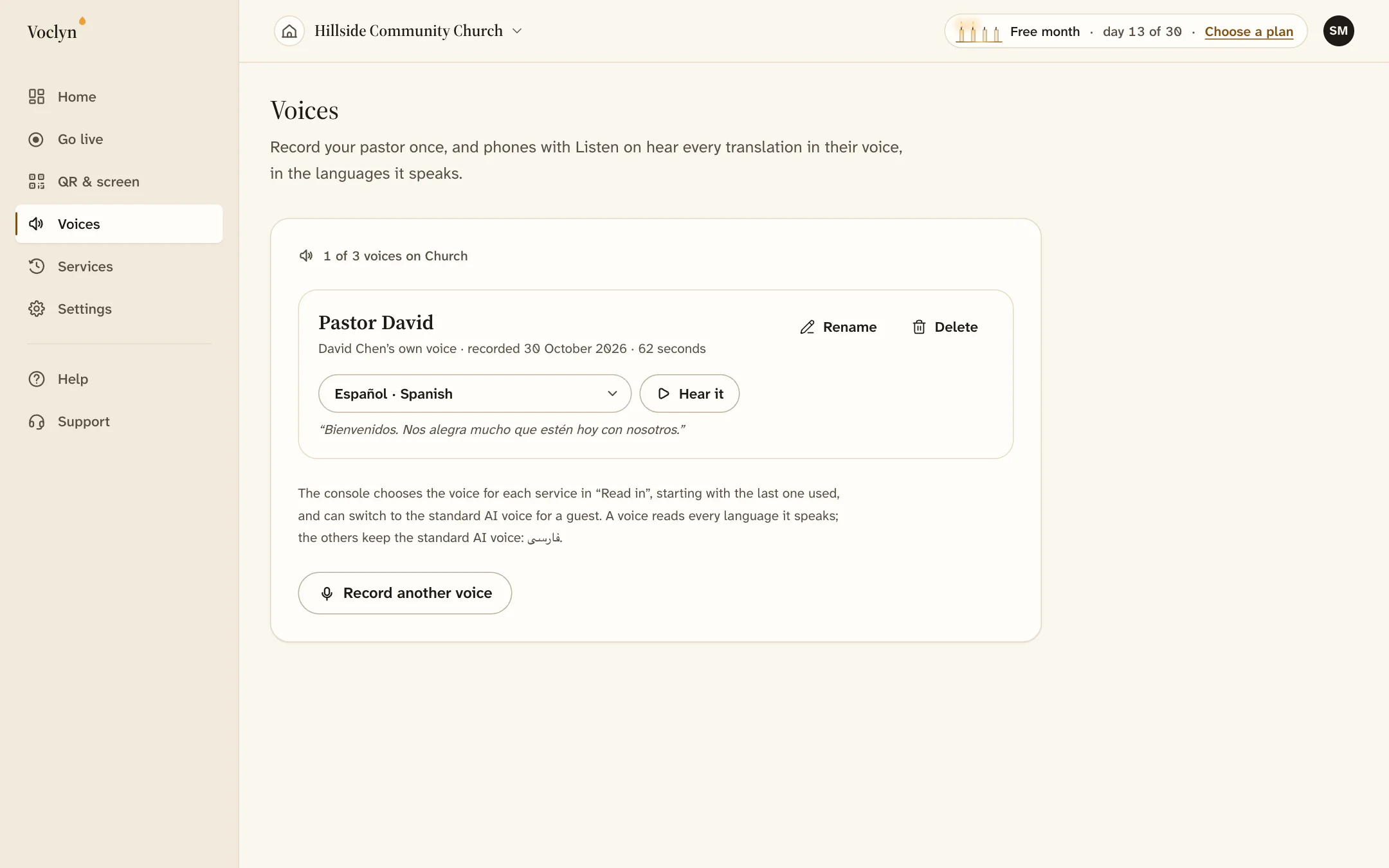
By default, a standard AI voice. On Church and Campus, and in the free month, the AI voice can read the translations in a voice made from your own, with the person’s written permission, in every language with an AI voice (a voice recorded before 22 November 2026, only some: Voices says which). Phones then say so at the top: AI translation · Pastor David’s AI voice. The words as said are always read in the standard voice. Clone your own voice.
No hours to count
AI voice is part of the same fair use, with no hours to count, in each of your languages that has a voice. Voice is made only while someone is listening in that language.
Free has no AI voice: it comes with every paid plan, and with the free month, which is 30 days of the Church plan, normally US$99 a month, with nothing charged unless you choose a plan. Plans and the free month.
No sound on a phone? Usually the media volume, a messaging app’s own browser, or Bluetooth earbuds paired to something else; the silent switch doesn’t mute it. The AI voice doesn’t play.
Questions
No. It reads each of your languages that has a voice. In the others, phones get captions, and Listen says there is no AI voice in that language yet.
No. It comes with Chapel, Church and Campus, with no hours to count, under fair use.
No, with earbuds in. The voice is made for each listener's own earbuds, and the phone asks for earphones the first time it speaks.
Yes. A phone in the language being spoken gets Listen too, and hears the words as said in the standard AI voice.
Read next
Still need help?
A person answers hello@voclyn.com Sundays 7:00–13:00 Vancouver time, and as soon as we can on other days. Say which church and room it is, what the console and the phones show, and add a screenshot if you can.
- Sunday help opens 7:00 Vancouver time.
- Sunday mornings: +1 672 667 5501 · text
- Signed in? Write from Support in the dashboard’s sidebar, and the answer comes back there.