What we keep, and what we never do.
The sound of a service is never stored, and people in the pews need no account and get no cookies. A room keeps its transcript for your plan’s period, unless you turn that off; voices are kept until you delete them. The full detail is in our Privacy Policy.
- Service audio
- Never stored
- Listeners
- No account, no cookies, no tracking
- Transcripts
- For your plan's period, unless turned off
- AI providers
- Don't train on your services
For the people in the pews
- No account, no name or email, no cookies and no tracking.
- The page never uses their microphone, camera or location.
- Their network address is kept briefly, for security.
- Their language, text size and theme stay on their phone.
- The church sees how many phones follow each language, and which languages were asked for: never who.
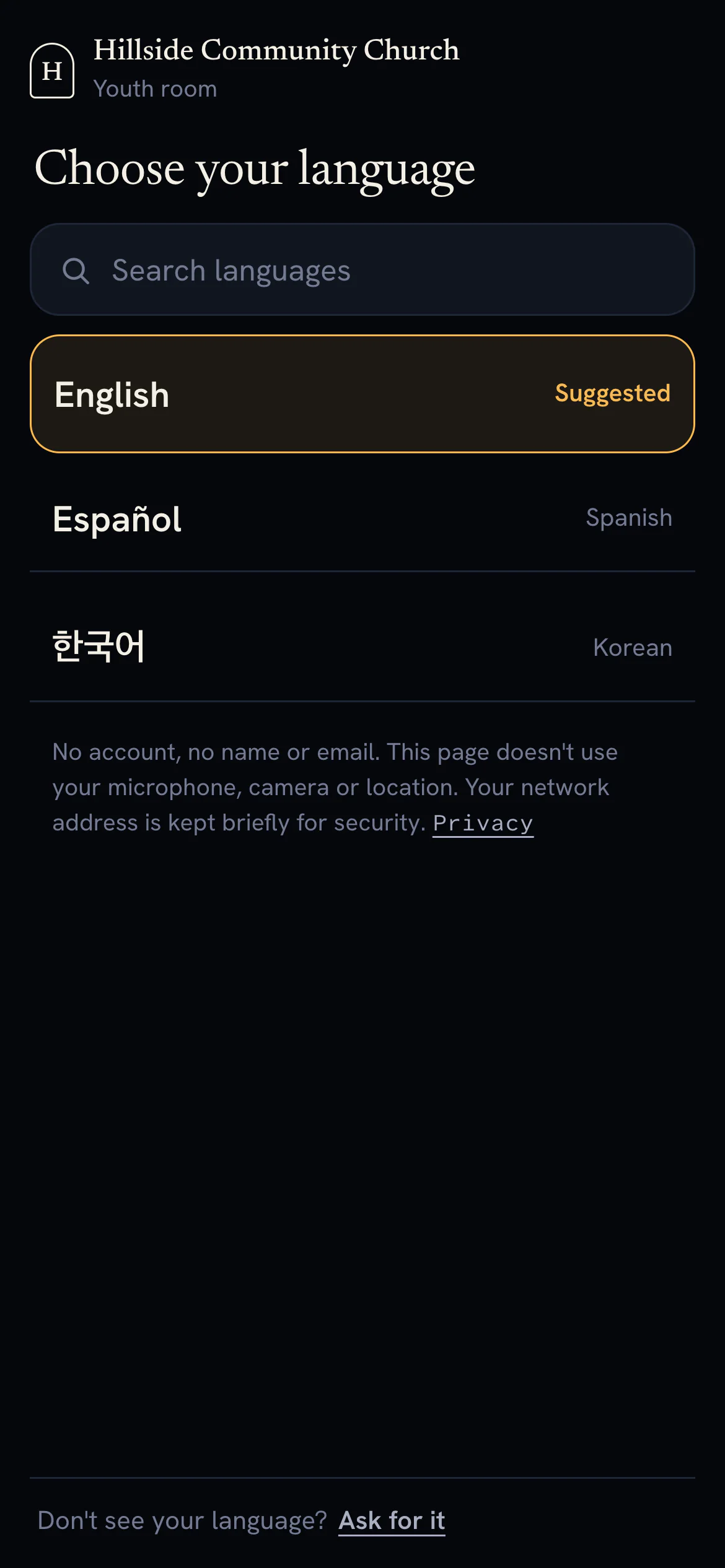
Choose your language
The service itself
The sound goes from the desk to speech recognition and is discarded; it is never stored. The AI voice is held only while it plays. Someone who arrives late catches up from the last few lines, held in memory during the service. The companies that hear and translate the service for us don’t train on it.
Transcripts
A room keeps the words of a service while Room settings › Save transcripts is on, as it is unless someone turns it off, for your plan’s period, with the service’s AI summary, written from them and deleted with them; after a plan drops, older ones stay 14 more days. To have them deleted sooner, write to hello@voclyn.com. Services and transcripts.
Voices
A cloned voice is made and kept by our voice providers, Alibaba Cloud (Model Studio, Singapore) and Google Cloud (Vertex AI), until the church deletes it; Voclyn doesn’t keep the recording. The signed statement is kept as the record of consent while the church’s account is open. Voices beyond a plan’s number are deleted 90 days after the plan stops including them. Clone your own voice.
Who handles what
Speech recognition, translation, the AI voice, payments, email, hosting and error reports each go through a named company. The Privacy Policy lists every one, what it receives and where; our Security page says how it is protected.
Deleting everything
The owner can delete the church in Settings › Church, and everything in it goes at once: rooms, transcripts, the glossary, voices, the team. A person’s own account is deleted on request, within 30 days: write from its address. Billing records are kept as the law asks. Delete this church.
Questions
No. The sound is never stored. Only the words are kept, while a room saves transcripts.
No. The companies that hear, translate and voice the service for us don't train on it.
Read next
Still need help?
A person answers hello@voclyn.com Sundays 7:00–13:00 Vancouver time, and as soon as we can on other days. Say which church and room it is, what the console and the phones show, and add a screenshot if you can.
- Sunday help opens 7:00 Vancouver time.
- Sunday mornings: +1 672 667 5501 · text
- Signed in? Write from Support in the dashboard’s sidebar, and the answer comes back there.