Clone your own voice.
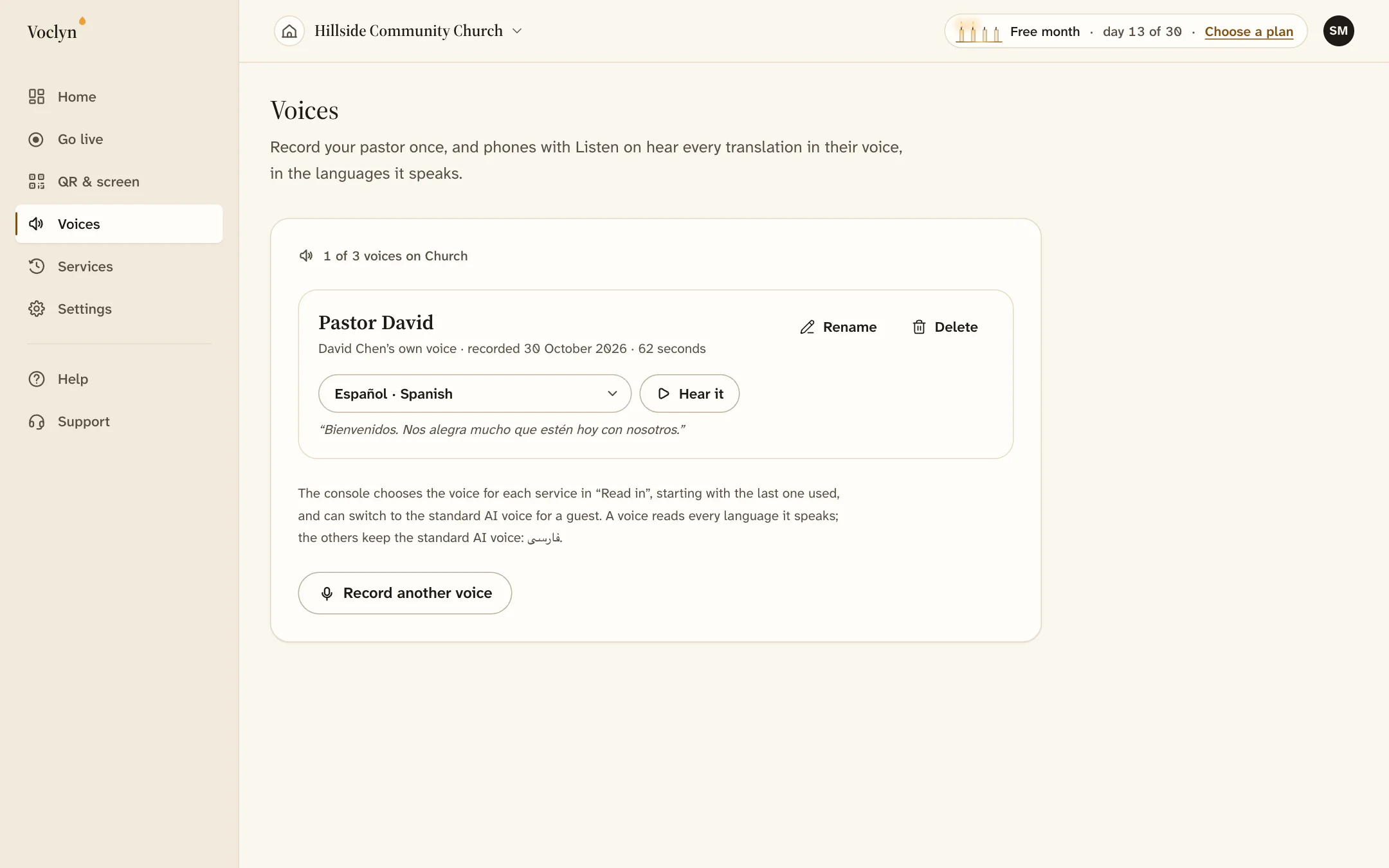
On Church and Campus, and in the free month, the AI voice can read the translation in a voice made from your own. The person whose voice it is reads and signs a statement giving their permission, then reads a short text aloud as the recording; the voice is made in about half a minute.
- Voices
- 3 on Church and 10 on Campus
- Recording
- 15 to 20 seconds is best; 10 at least
- Permission
- Read, signed and ticked by the person
- Who records
- Owners and admins
Before you start
- The person whose voice it is must be there: they read, sign and tick for themselves.
- A quiet room. A laptop’s or a phone’s own microphone is enough; a headset is better.
- The statement and the reading are written in English, Spanish, Portuguese, French, Korean and Chinese. They choose the language they are most at home in.
Record the voice
- In Voices, press Record your pastor’s voice (Record another voice once you have one).
- Under Name for the voice, write a name such as Pastor David: it is what phones show.
- Under For the person whose voice it is, they choose their language, read the statement, write their full name and tick the box.
- Under The recording, press Start recording and they read the words shown, then Stop. The words open with their consent, in their own voice: Google Cloud’s consent statement, word for word in their language. Or Use a file › Choose a file with a recording of those words.
- Press Make the voice. It checks that the recording says the words, then makes the voice: about half a minute.
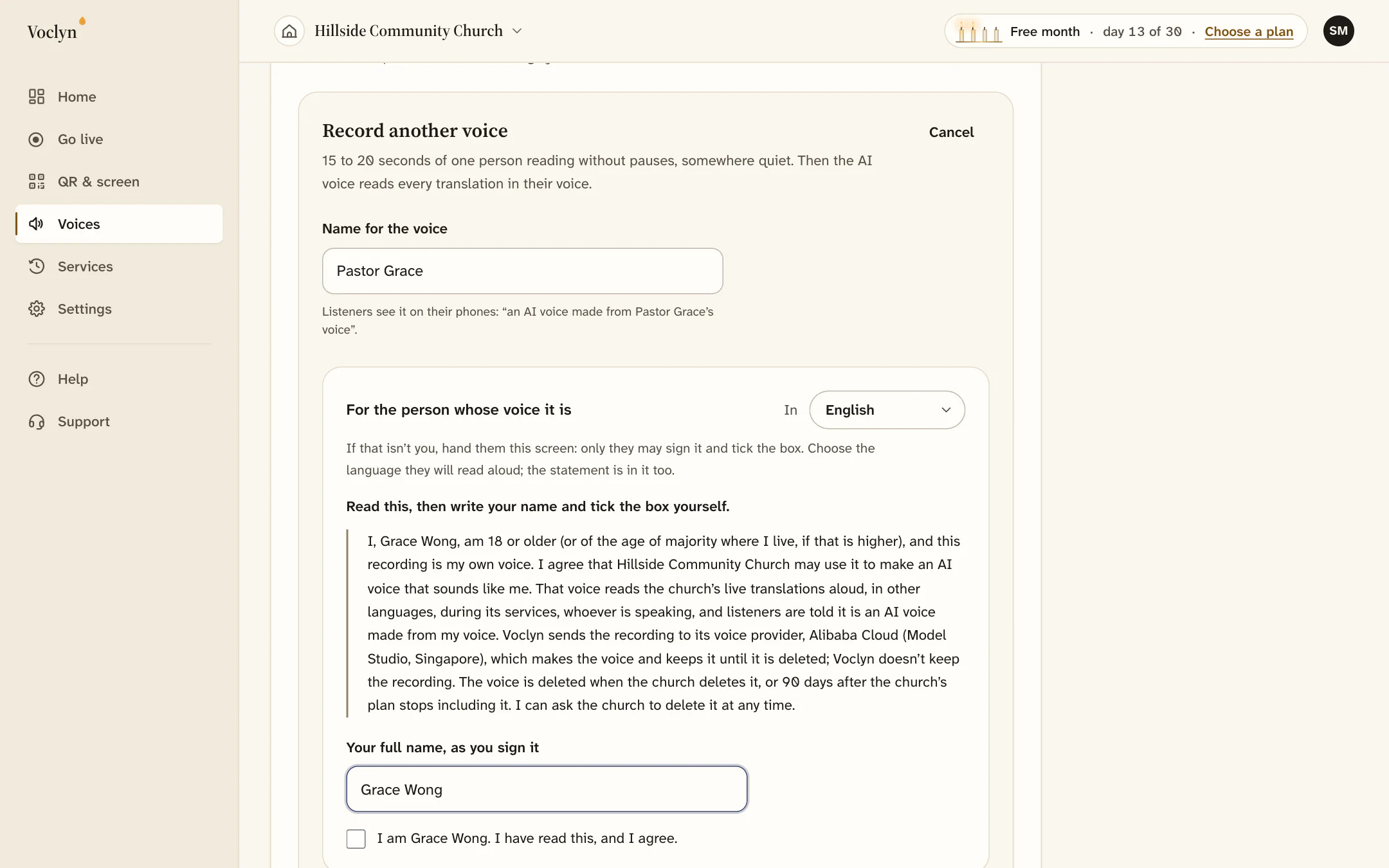
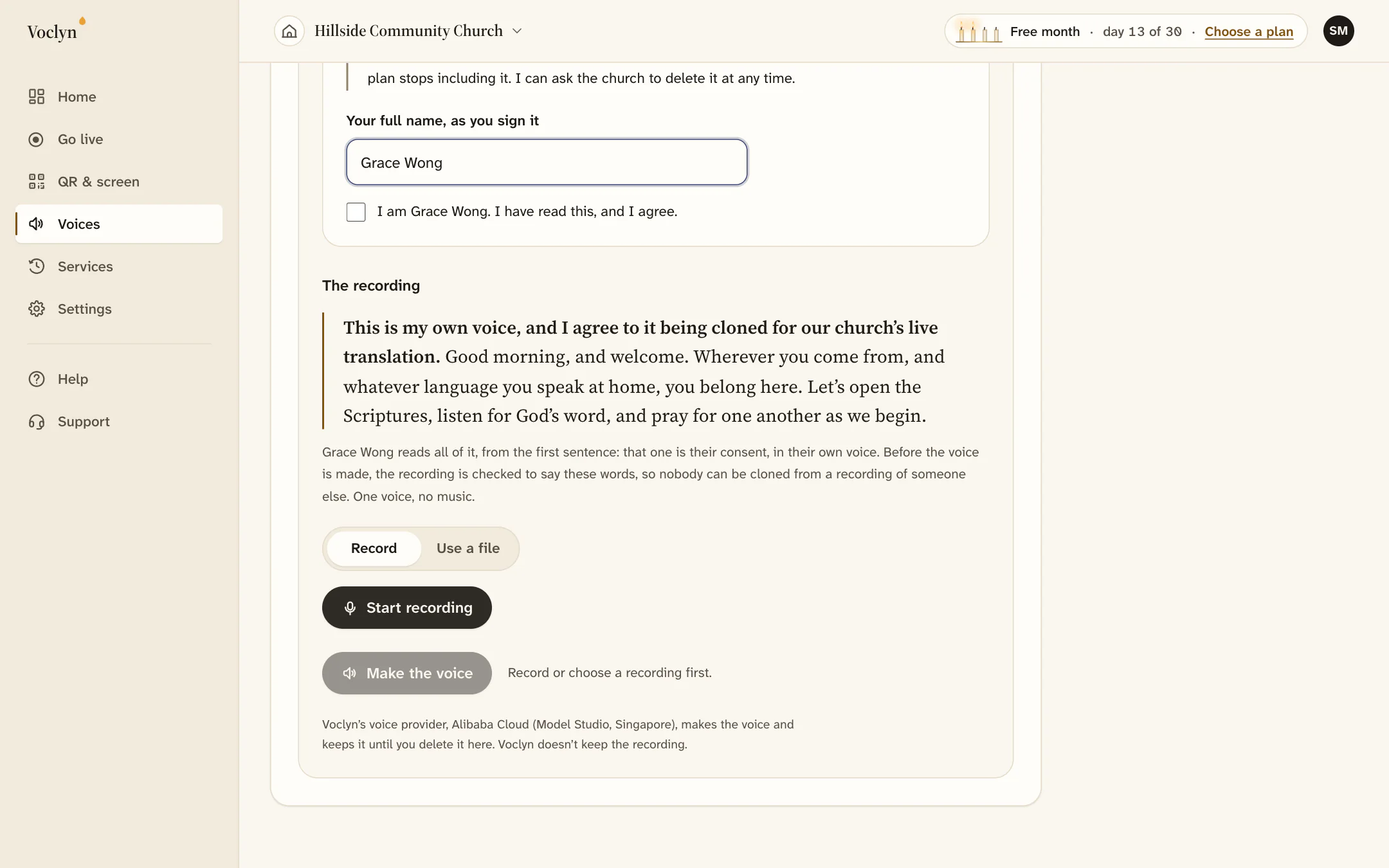
Fifteen to twenty seconds is best; at least ten, and at most sixty. Too short, or very quiet, and the form says so, with Record again. A recording that doesn’t say the words shown is turned down.
The languages it speaks
A voice recorded here reads the translations in every language with an AI voice, all from the one recording, in whichever language the person recorded it. The words as said are read in the standard voice. A voice recorded before 22 November 2026 reads only Mandarin, en, Japanese, Korean, Russian, French, German, Portuguese, Thai, Indonesian, Vietnamese, Spanish, Italian, Malay, tl and Arabic: Voices marks it and names the languages the standard AI voice reads instead. Record it again to hear it in all of them, then delete the older one.
Using it on Sunday
The church’s first voice becomes every room’s voice. On Go live, the menu beside AI voice in the Phones card chooses whose voice reads, before the service or during it.
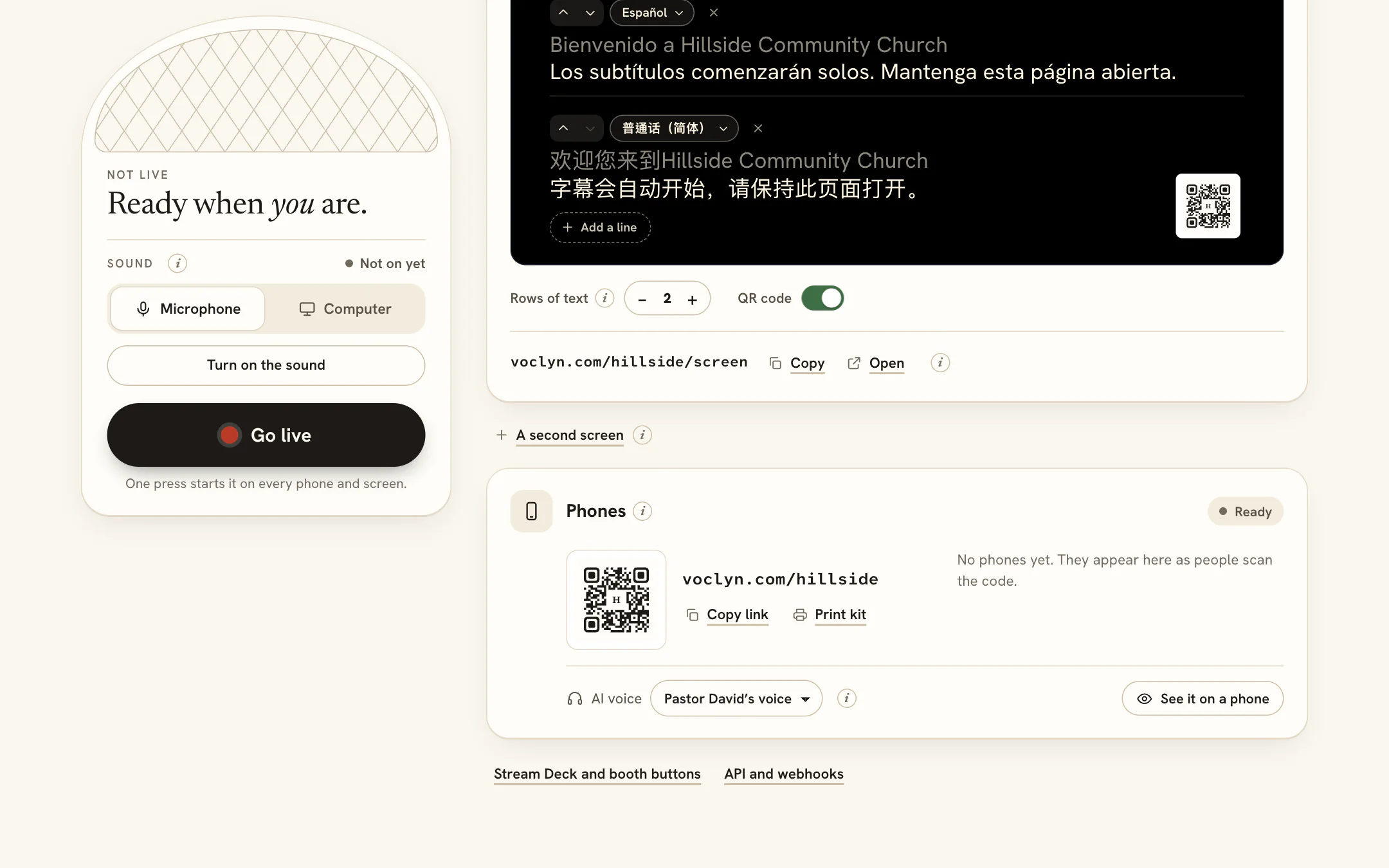
A guest is preaching? Choose Standard AI voice: it reads from the next sentence. Choose your pastor’s voice again when it is their turn.
Hear, rename or delete a voice
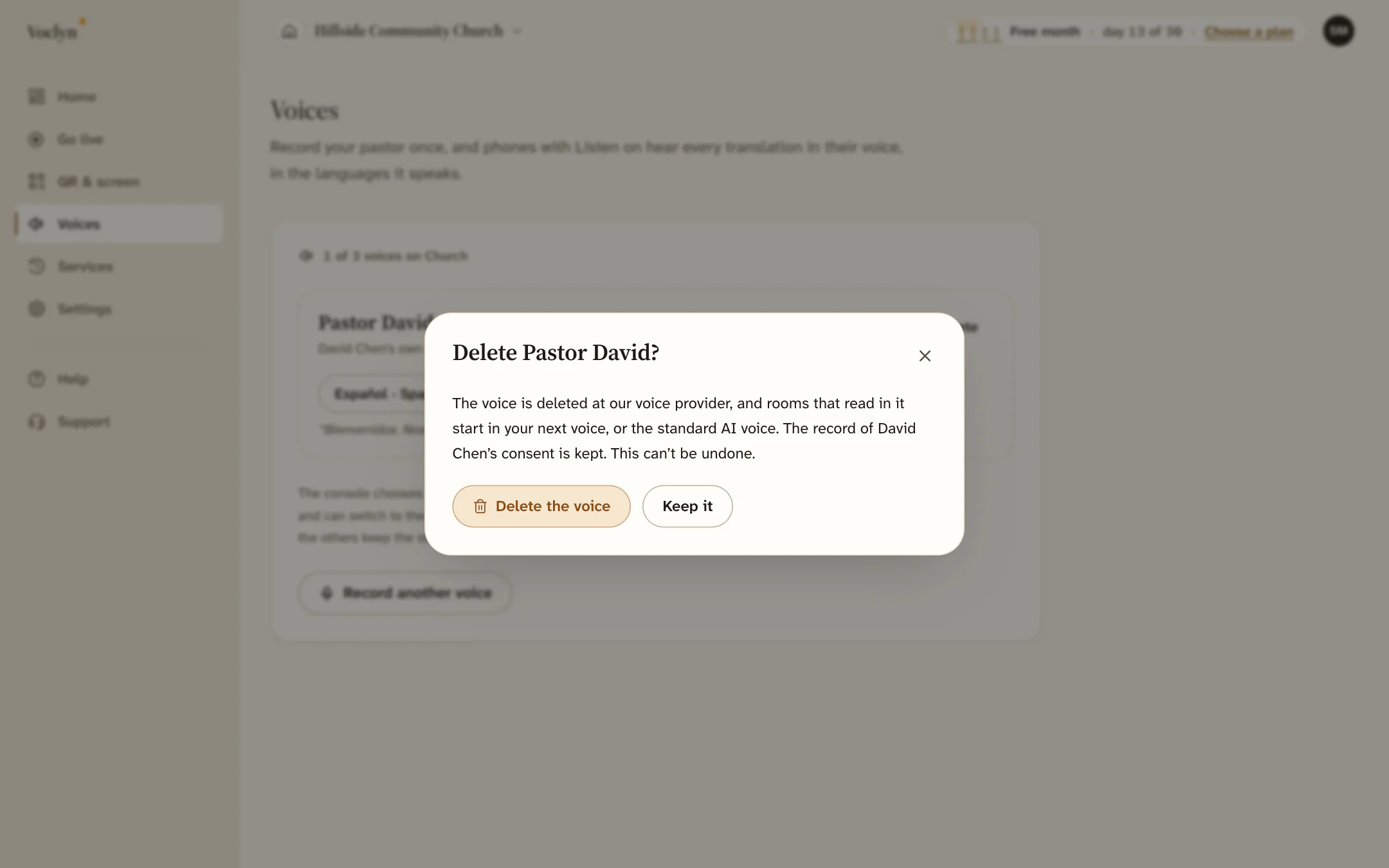
Each voice has Hear it, Rename and Delete. Deleting removes it at our voice providers at once; the signed statement is kept as the record of permission.
Voices beyond your plan’s number, after a plan change or when the free month ends without a plan, are kept unused for 90 days, then deleted, unless a plan includes them again.
Where voices are kept
Voclyn sends the recording to its voice providers, Alibaba Cloud (Model Studio, Singapore) and Google Cloud (Vertex AI), which each make the voice and keep it until it is deleted: Alibaba Cloud reads the languages its voices speak, Google Cloud every other language with an AI voice. Voclyn doesn’t keep the recording. Privacy: what we keep.
Questions
No. The person whose voice it is reads and signs the statement, ticks the box themselves, and reads the words of the recording, which the voice is checked against.
3 on Church and 10 on Campus; the free month is the Church plan. Free and Chapel have no voices of their own.
Yes, at any time. The church deletes it in Voices, and it is removed at our voice providers.
Read next
Still need help?
A person answers hello@voclyn.com Sundays 7:00–13:00 Vancouver time, and as soon as we can on other days. Say which church and room it is, what the console and the phones show, and add a screenshot if you can.
- Sunday help opens 7:00 Vancouver time.
- Sunday mornings: +1 672 667 5501 · text
- Signed in? Write from Support in the dashboard’s sidebar, and the answer comes back there.