Past services and transcripts.
Every service is listed under Services, with what it was about, how long it ran, how many phones followed and in which languages. When the room saves transcripts (every room does, unless someone turns it off), its report opens with a summary written by AI (what was said, what was read, what happened in the service) and holds the whole service as text to read, correct and download.
- Transcripts kept
- The last service on Free, 90 days on Chapel and 12 months on Church and Campus
- Downloads
- Text (.txt) or subtitles (.srt)
- Summary
- Written by AI once the service ends
- Who
- Everyone reads; owners and admins correct
The list of services
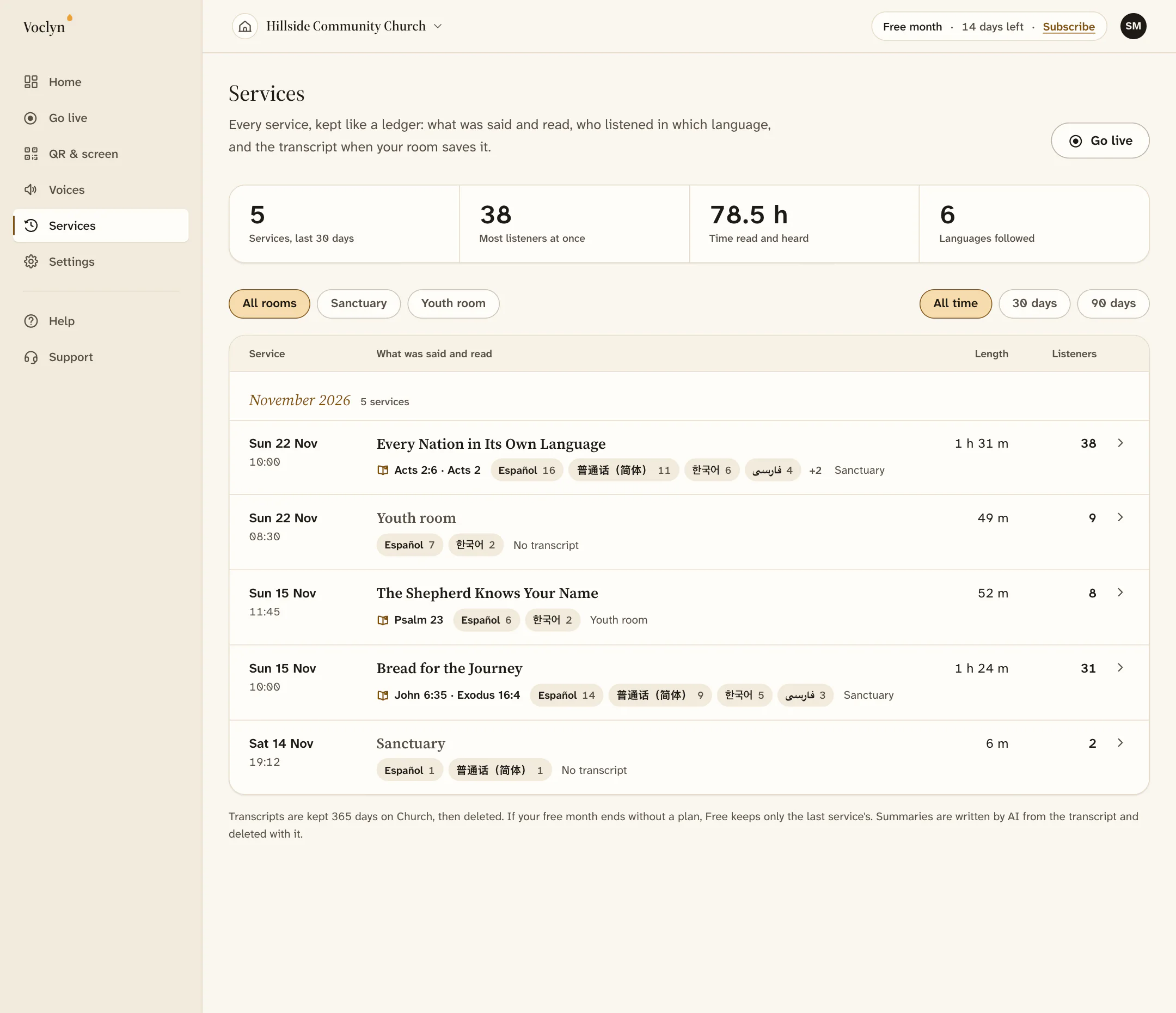
- The top of Services sums up the last 30 days: how many services, the most listeners at once, the time read and heard, and the languages followed.
- Below, every service by month, short ones too: what it was about (its summary’s title), the Bible passages read, its listeners in each language and its length.
Filter by room, or by 30 days and 90 days, under the numbers. On Free, services shorter than 10 minutes don’t count towards the month’s hours. Services can’t be deleted one by one; deleting a room deletes its transcripts.
A service's report
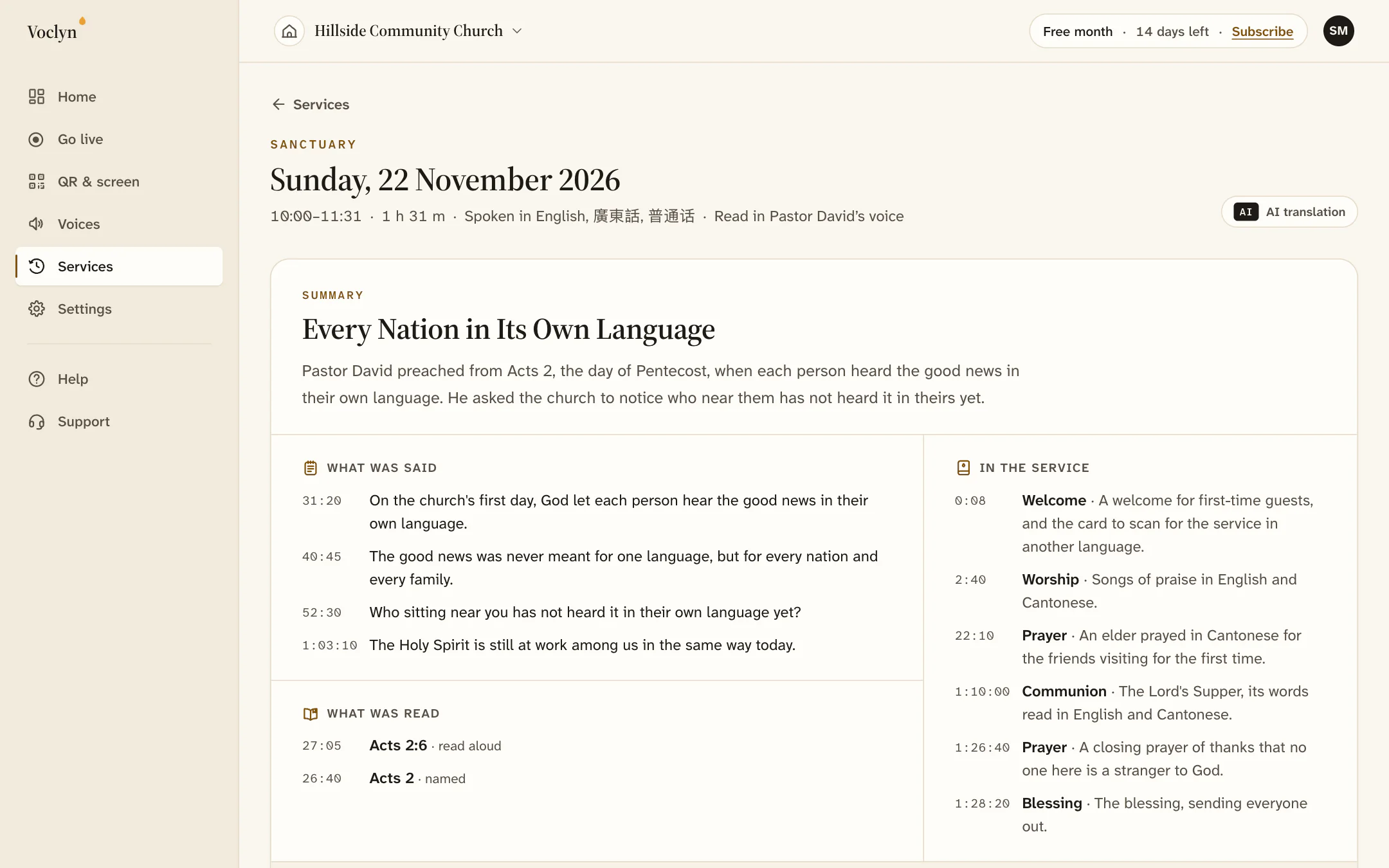
- Summary: a title and two sentences, then what was said, what was read (each passage, read aloud or named) and In the service (worship, prayer, announcements…), each with its time; click a time to read that line. Written in English by AI from the transcript once the service ends, without anyone’s name from a prayer request, and deleted with the transcript. A private moment is never in it.
- Listeners: the most phones at once, the languages read, the time read and heard and the AI voice, then each language with its own numbers.
- Transcript: the words as spoken, with a language of your choice beside them (Read alongside).
The report’s head says when it ran, the languages spoken, whose voice the AI voice read in, and how it ended.
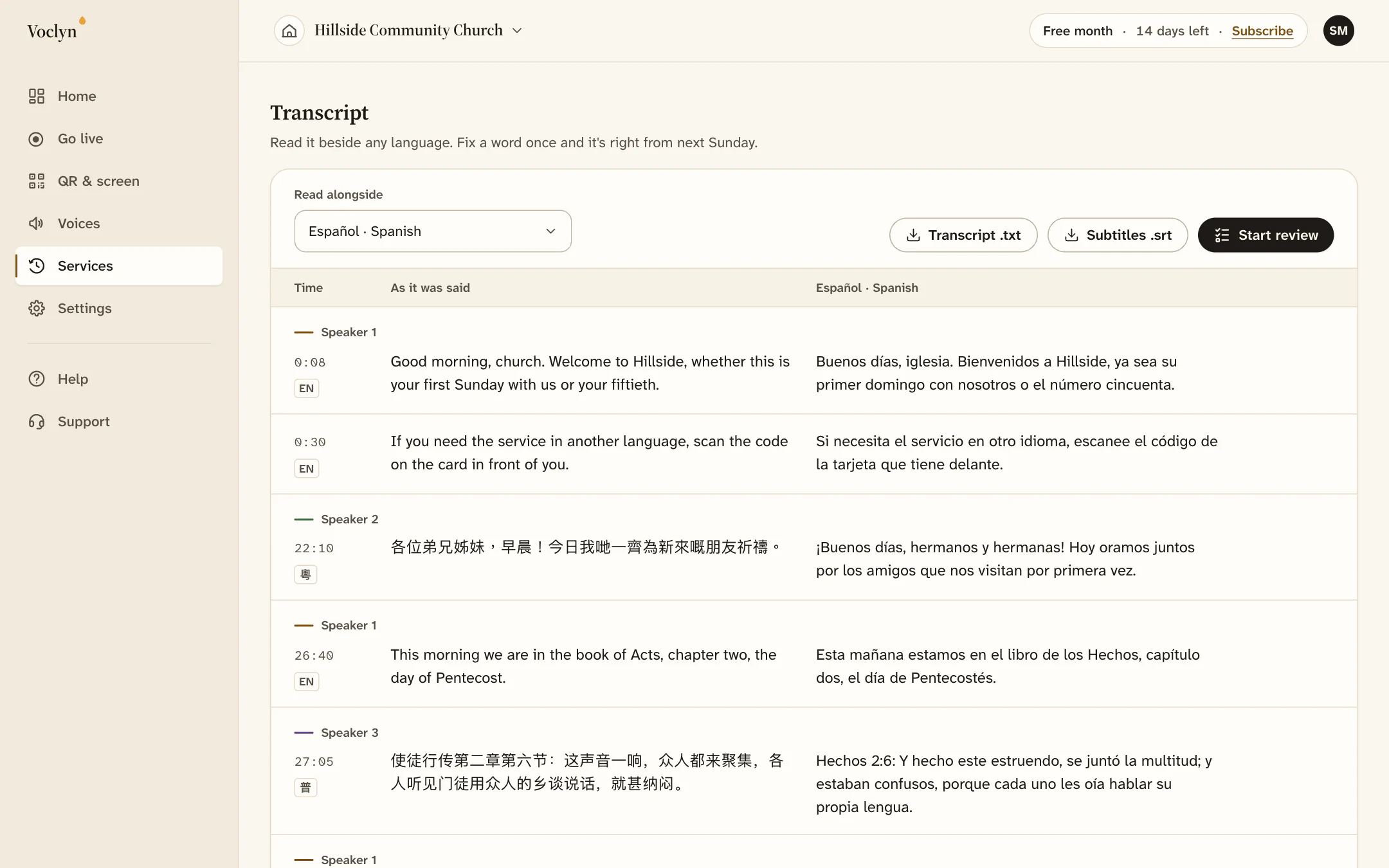
Download the transcript
Choose Transcript .txt for plain text, each line as it was said with the language you read alongside under it, or Subtitles .srt for that language alone, to put captions on the service’s video. Anyone on the team can read and download.
Correct it, and teach the glossary
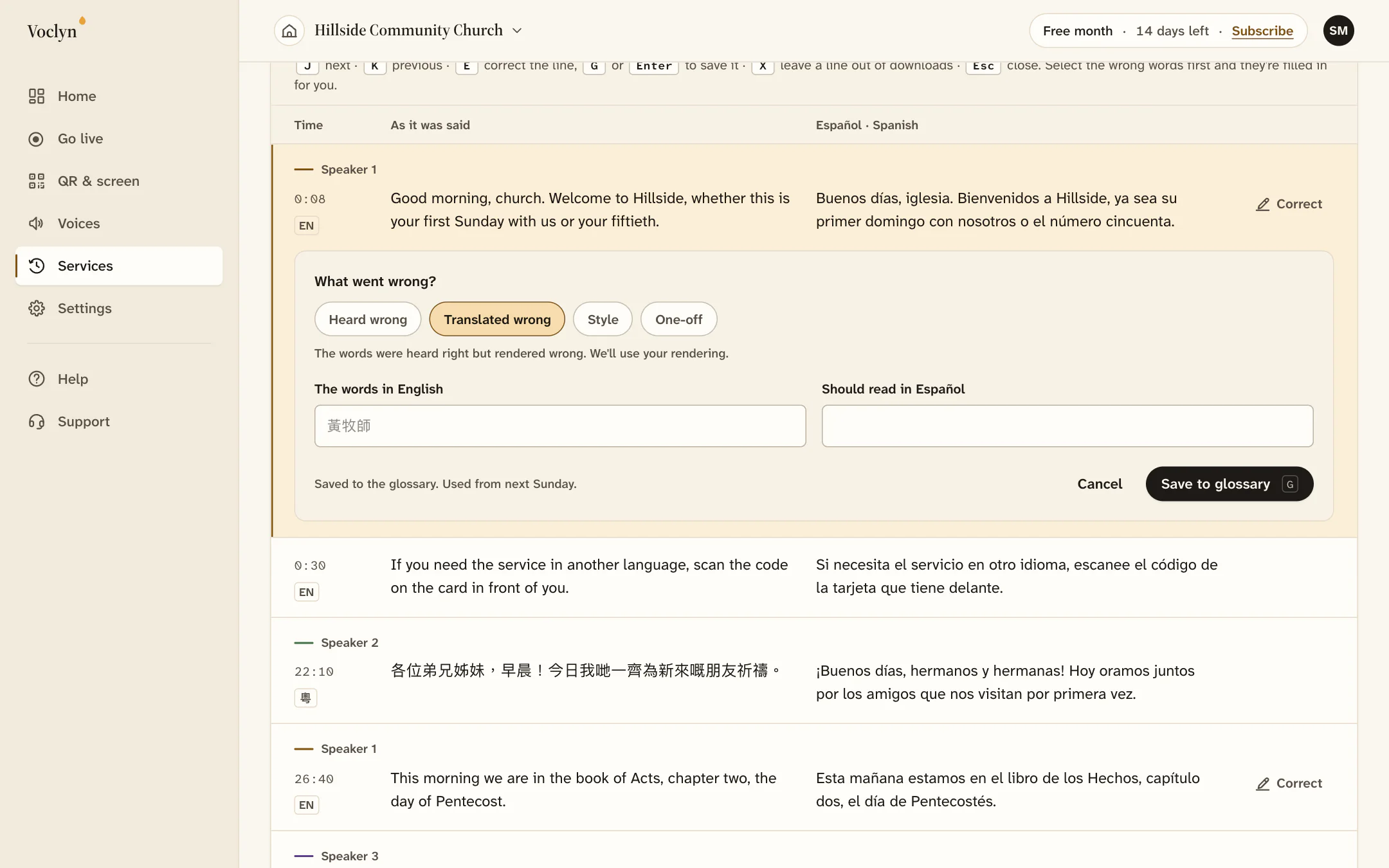
Owners and admins can choose Start review and go through the service line by line: J and K move, E corrects, G or Enter saves, and X leaves a line out of the downloads. A correction asks What went wrong?
- Heard wrong, Translated wrong or Style: saved to your glossary, so next Sunday gets it right.
- One-off: fixes this transcript only.
The button under the line follows the choice: Save to glossary, or Fix this line for a one-off. Finish review shows what was fixed and learned for Next Sunday. The glossary.
How long transcripts are kept
A room saves transcripts while Room settings › Save transcripts is on, as it is for every new room. They are kept for the last service on Free, 90 days on Chapel and 12 months on Church and Campus. When a plan drops to a shorter period, the older ones stay 14 more days first.
A report without one says This room didn’t save a transcript. The sound of a service is never stored, on any plan. To have transcripts deleted sooner, write to hello@voclyn.com. Privacy: what we keep.
Questions
Yes. Switch off Save transcripts in QR & screen › Room settings, for each room. The service report then keeps the date, the length, the listeners and their languages.
No. The sound is never stored, on any plan. Only the words are kept, while the room saves transcripts.
Every service is in the list, a two-minute test too. If one is missing, check the room and the period chosen at the top of Services, and that you are looking at the church whose room went live.
It says only what the transcript says, and lists a Bible passage only when it was named or read aloud. AI can still misread a fragment, so before quoting it, click its time and read the lines themselves.
Read next
Still need help?
A person answers hello@voclyn.com Sundays 7:00–13:00 Vancouver time, and as soon as we can on other days. Say which church and room it is, what the console and the phones show, and add a screenshot if you can.
- Sunday help opens 7:00 Vancouver time.
- Sunday mornings: +1 672 667 5501 · text
- Signed in? Write from Support in the dashboard’s sidebar, and the answer comes back there.