A room for each congregation.
A room is where a service happens. Each has its own link, QR code, languages, big screen and settings. Make as many as you like; how many can be live at the same time depends on your plan.
- Rooms
- As many as you like
- Live at once
- 1 on Free and Chapel, 2 on Church and 5 on Campus
- Extra live room
- On Campus, US$49 (C$69) a month
- Main room
- Your church's own link; it can't be deleted
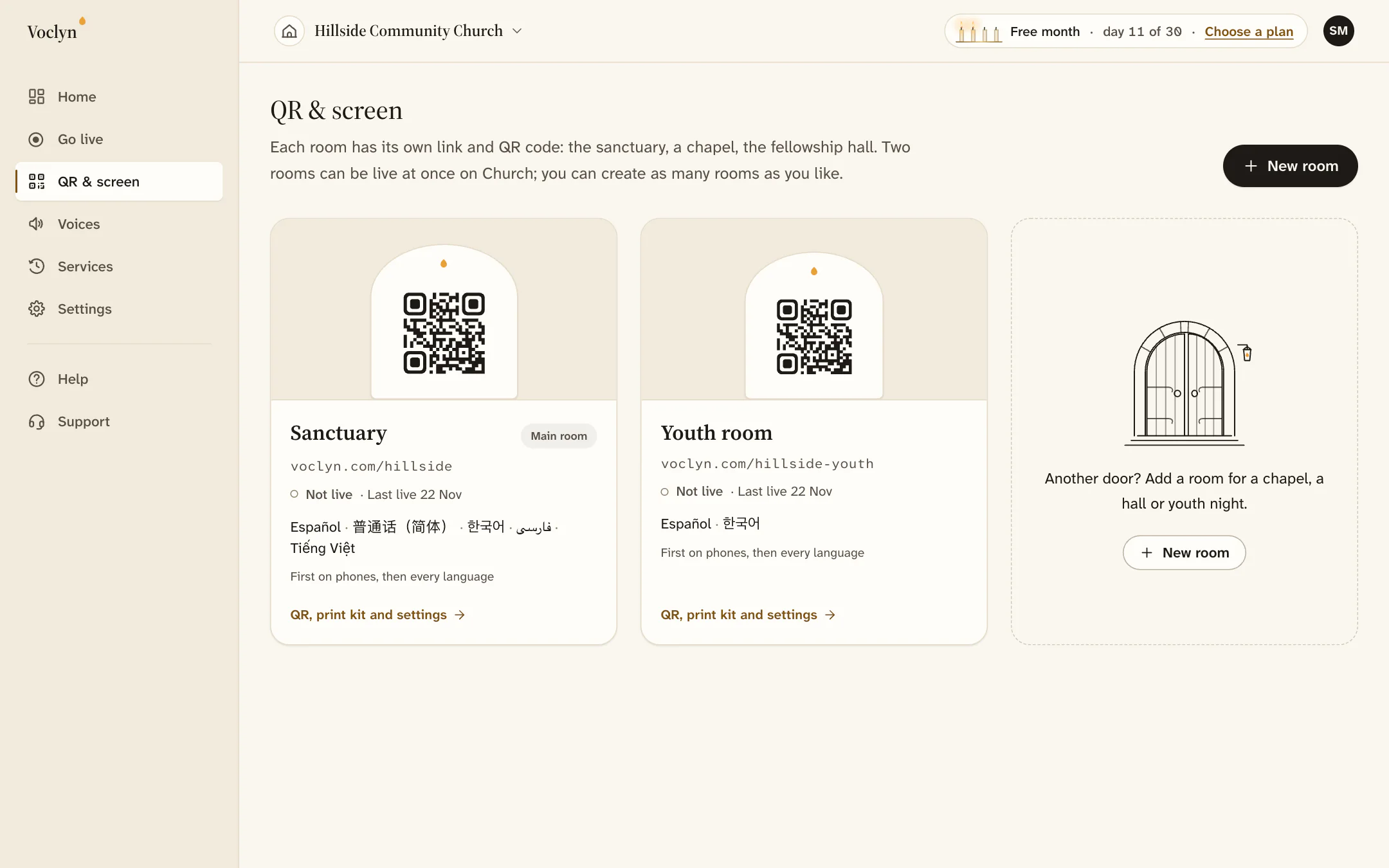
When to make another room
One room serves every service held in the same place, one after the other. Make another when two things happen at the same time, or when a group needs its own link:
- a fellowship hall or an overflow room with its own sound;
- a youth or children’s service at the same hour;
- a congregation with its own languages, printed on its own pew cards.
Your first room, called Sanctuary, is the main room: its link is your church’s link.
Make a room
- Open QR & screen. With one room, it opens that room: open its Room settings tab and choose Add a room at the end. With two or more, choose New room above them.
- Give it a name, such as Fellowship Hall. Its link follows the name until you change it.
- Choose Create room, and print its kit: its QR code is its own.
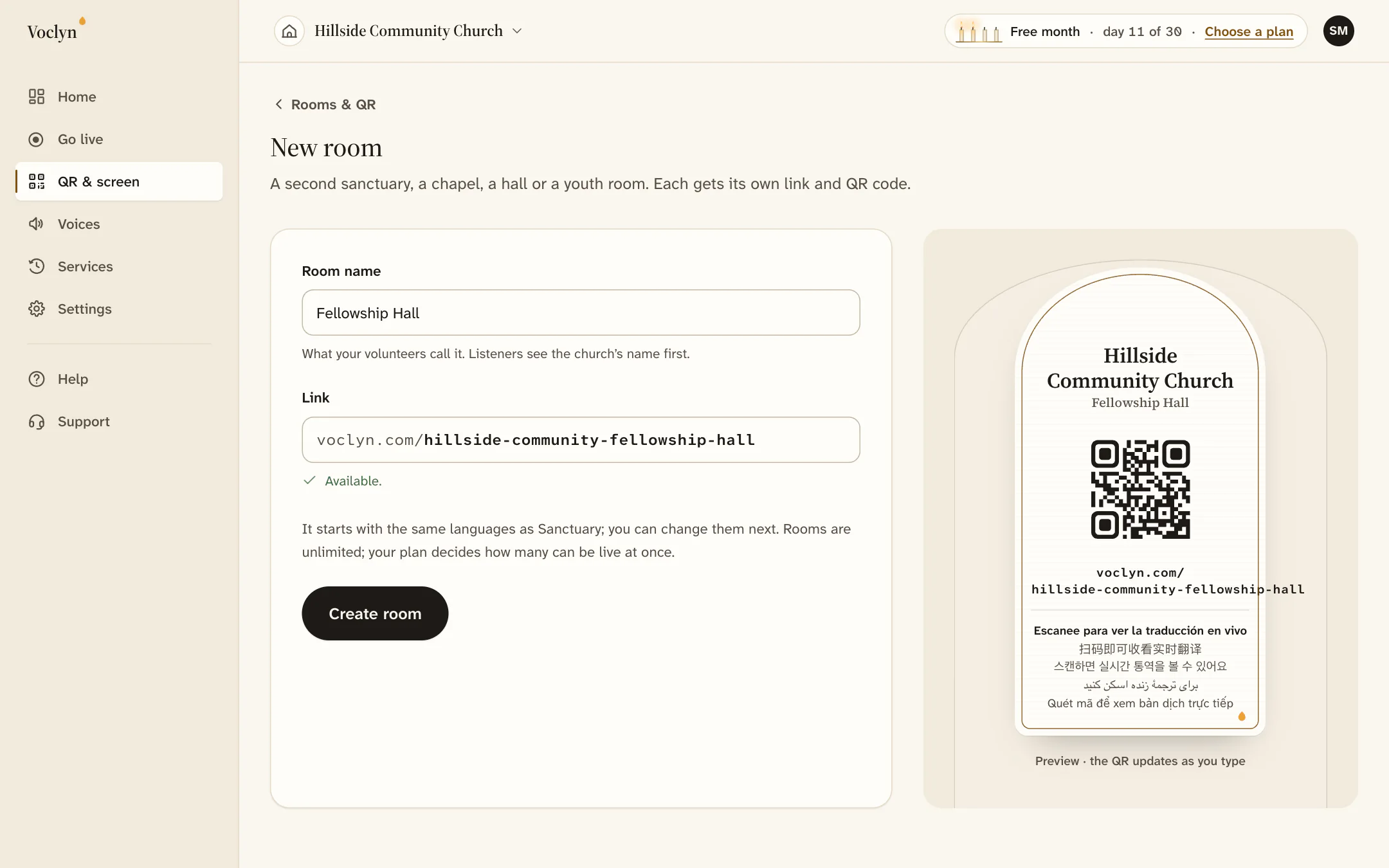
A new room starts with the main room’s languages, settings, voice and big screen, so it is ready as it is. Owners and admins make rooms.
Rooms live at the same time
Rooms can be live at the same time: 1 on Free and Chapel, 2 on Church and 5 on Campus. Going live in one more is refused, with a note naming the room that is live; nothing already running is stopped.
Campus can add live rooms at US$49 (C$69) a month each: write to hello@voclyn.com.
Room settings
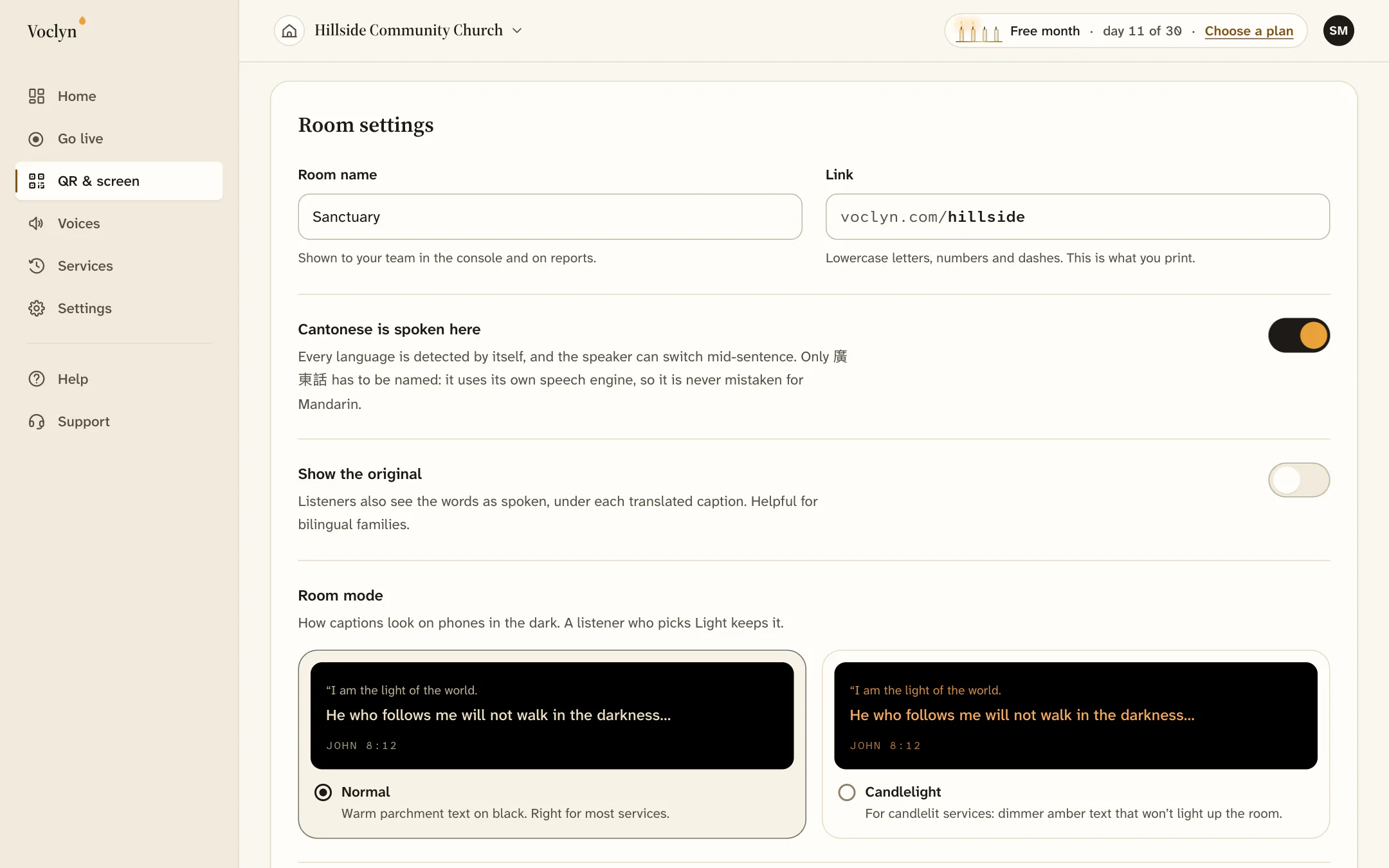
In the room’s Room settings tab, owners and admins change these, then press Save settings: nothing changes until then.
- Room name, shown to your team in the console and on reports.
- Link: changing it stops printed QR codes. Changing the link.
- Cantonese is spoken here: every other language is detected by itself; 廣東話 is named because it has its own speech engine. Languages.
- Show the original: the words as spoken, under each translation on phones.
- Room mode: Normal, or Candlelight for warm, dim text at every service. A change made during a service applies from the next one.
- Save transcripts, for your plan’s period. Services and transcripts.
- “Powered by Voclyn”: the line at the foot of the phone page. Church and Campus, and the free month, can switch it off.
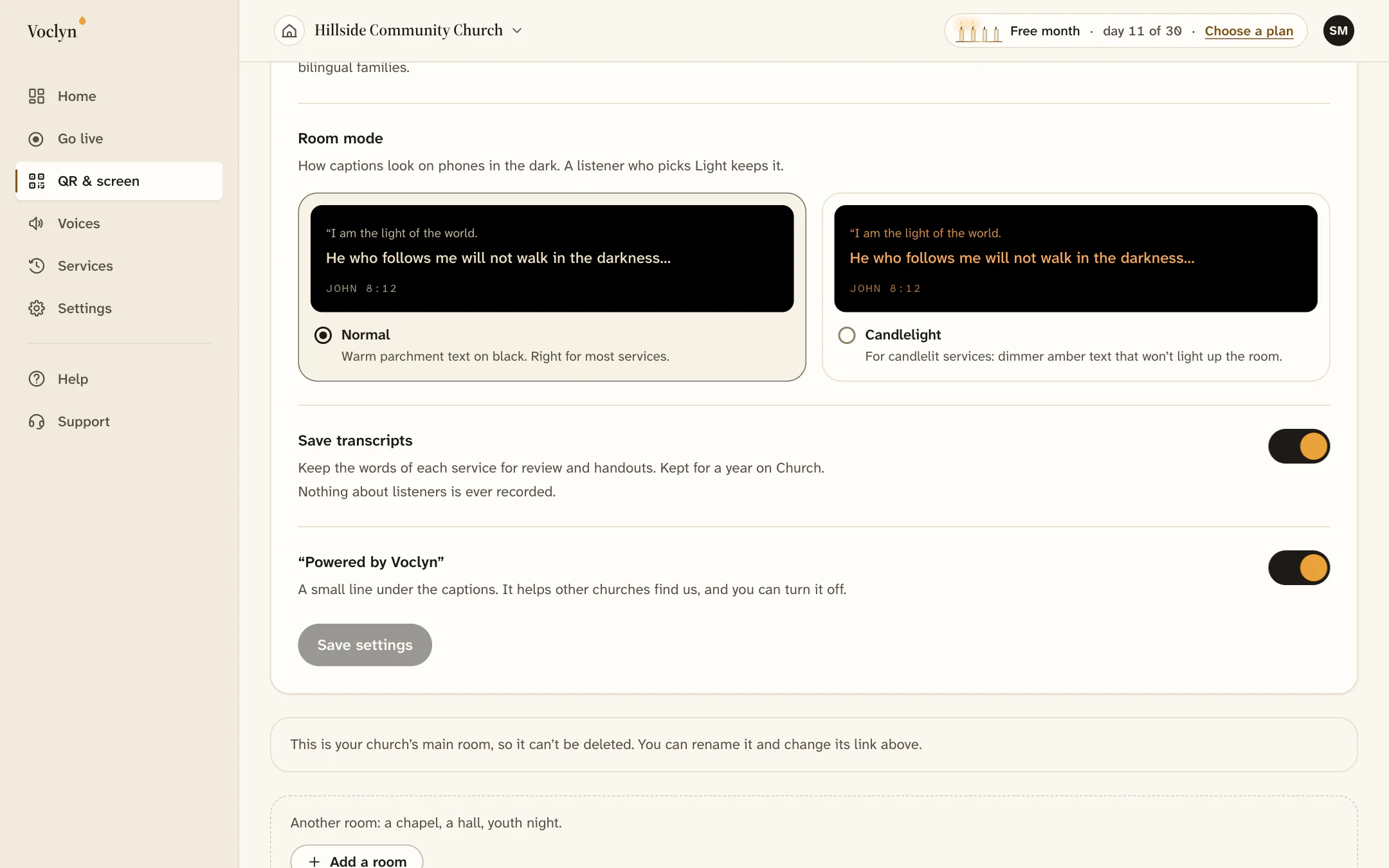
Delete a room
In the room’s settings, Delete this room asks you to type the room’s link, then Delete permanently. The main room can’t be deleted, and no room can while it is live.
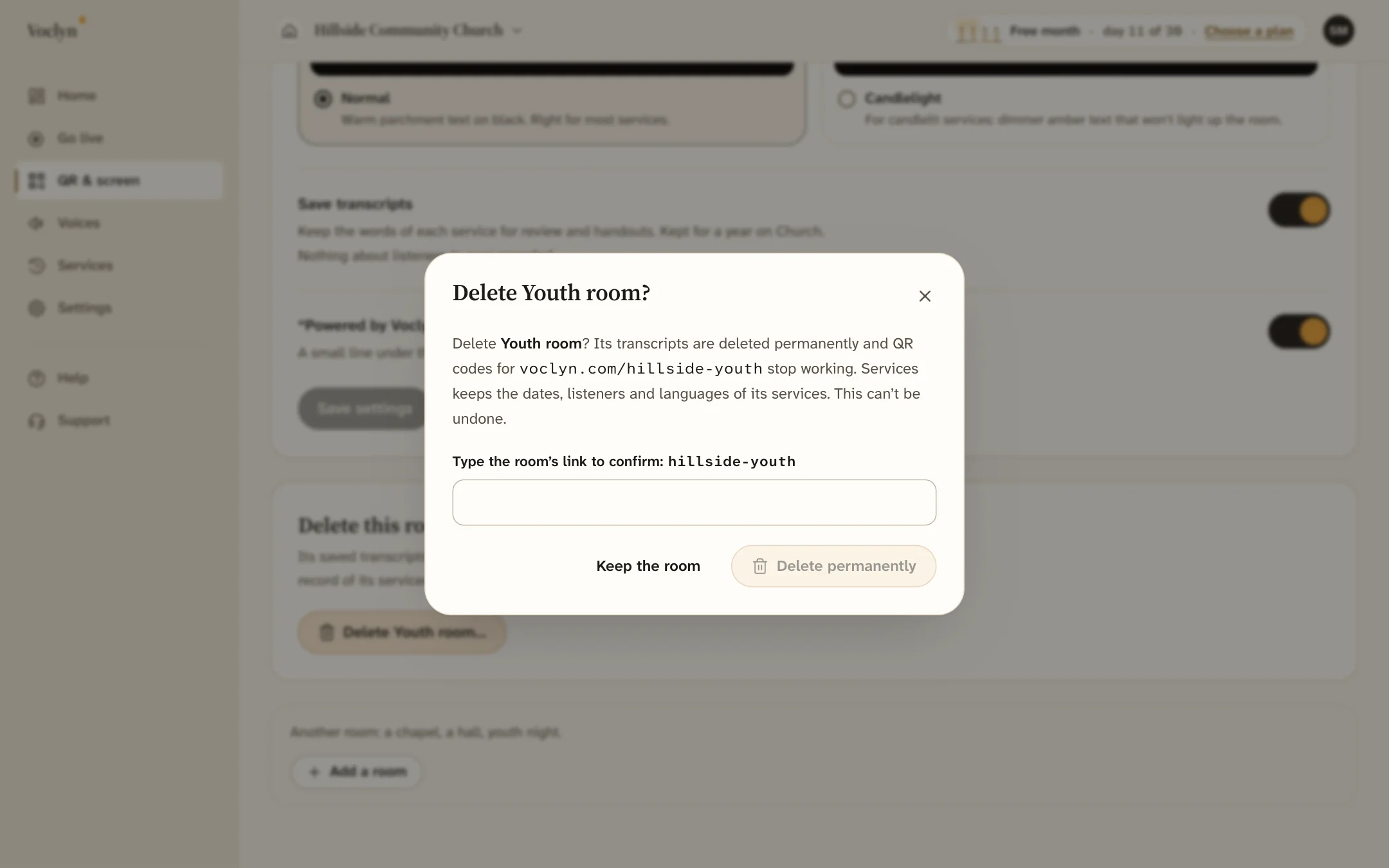
Its transcripts go with it. Services keeps the dates, listeners and languages of its past services.
Questions
Yes. The glossary and the Bible choices are the church's, in Settings › Words, and every room uses them.
Yes. A room is a place, not a service: every service held there, one after another, uses the same link and QR code.
Read next
Still need help?
A person answers hello@voclyn.com Sundays 7:00–13:00 Vancouver time, and as soon as we can on other days. Say which church and room it is, what the console and the phones show, and add a screenshot if you can.
- Sunday help opens 7:00 Vancouver time.
- Sunday mornings: +1 672 667 5501 · text
- Signed in? Write from Support in the dashboard’s sidebar, and the answer comes back there.