Billing, invoices and cancelling.
The church’s owner chooses the plan in Settings › Billing, and pays through Stripe. Once a plan is paid for, invoices, the card and cancelling are under Manage payment and invoices; a cancelled plan runs to the end of its period, then the church moves to Free.
- Who
- The owner; admins can see it
- Payment
- By card, through Stripe
- Failed payment
- The plan carries on for 14 days
- Refunds
- None for part of a period
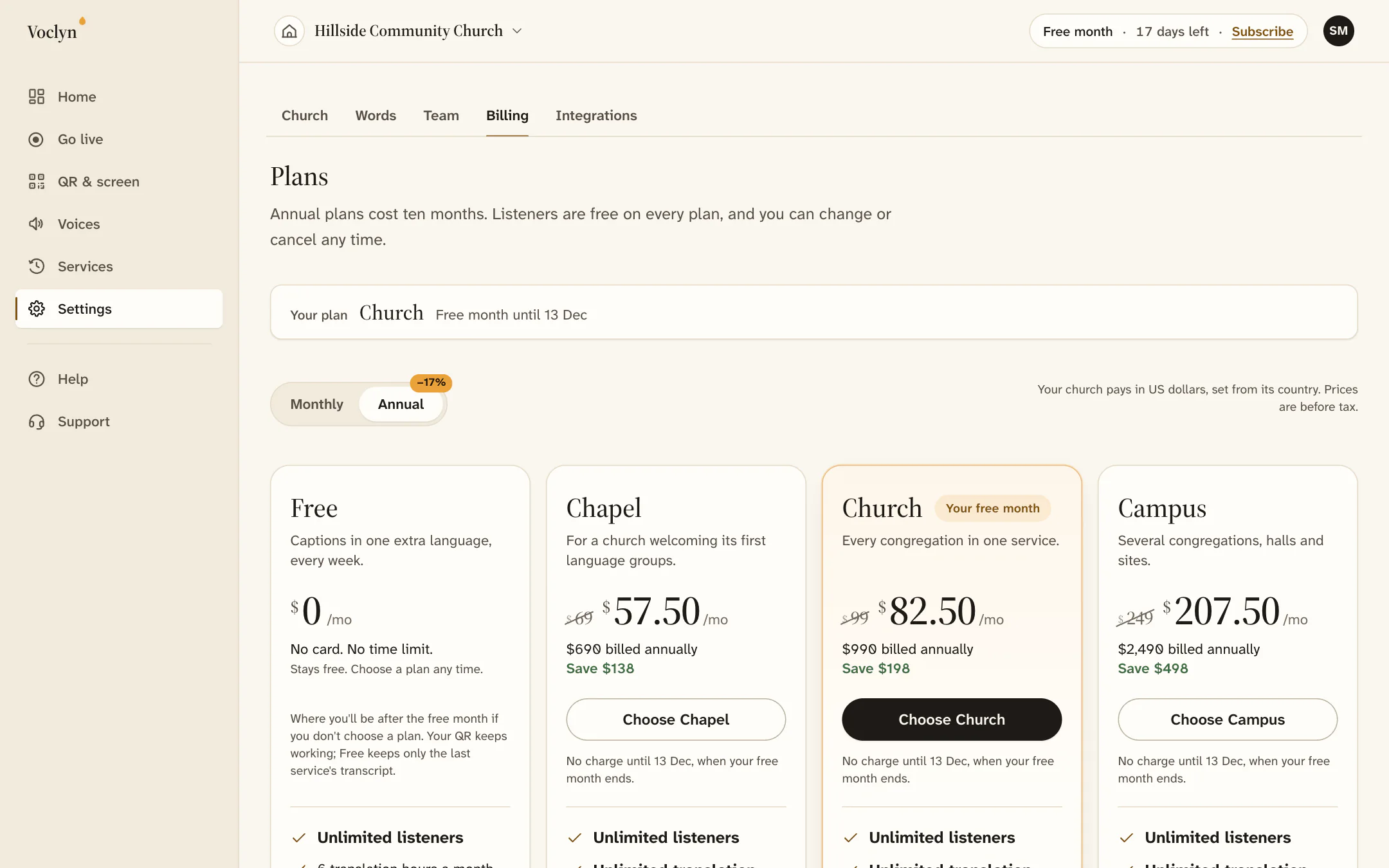
Choose a plan
- In Settings › Billing, choose Monthly or Annual, then press Choose on the plan you want.
- Stripe asks for the card and the billing address; add a GST/HST number, or an EIN, for your receipts. A promotion code goes there too.
- You come back to Billing with the plan in place. During the free month, nothing is charged until the month ends. Stripe emails a receipt after each payment.
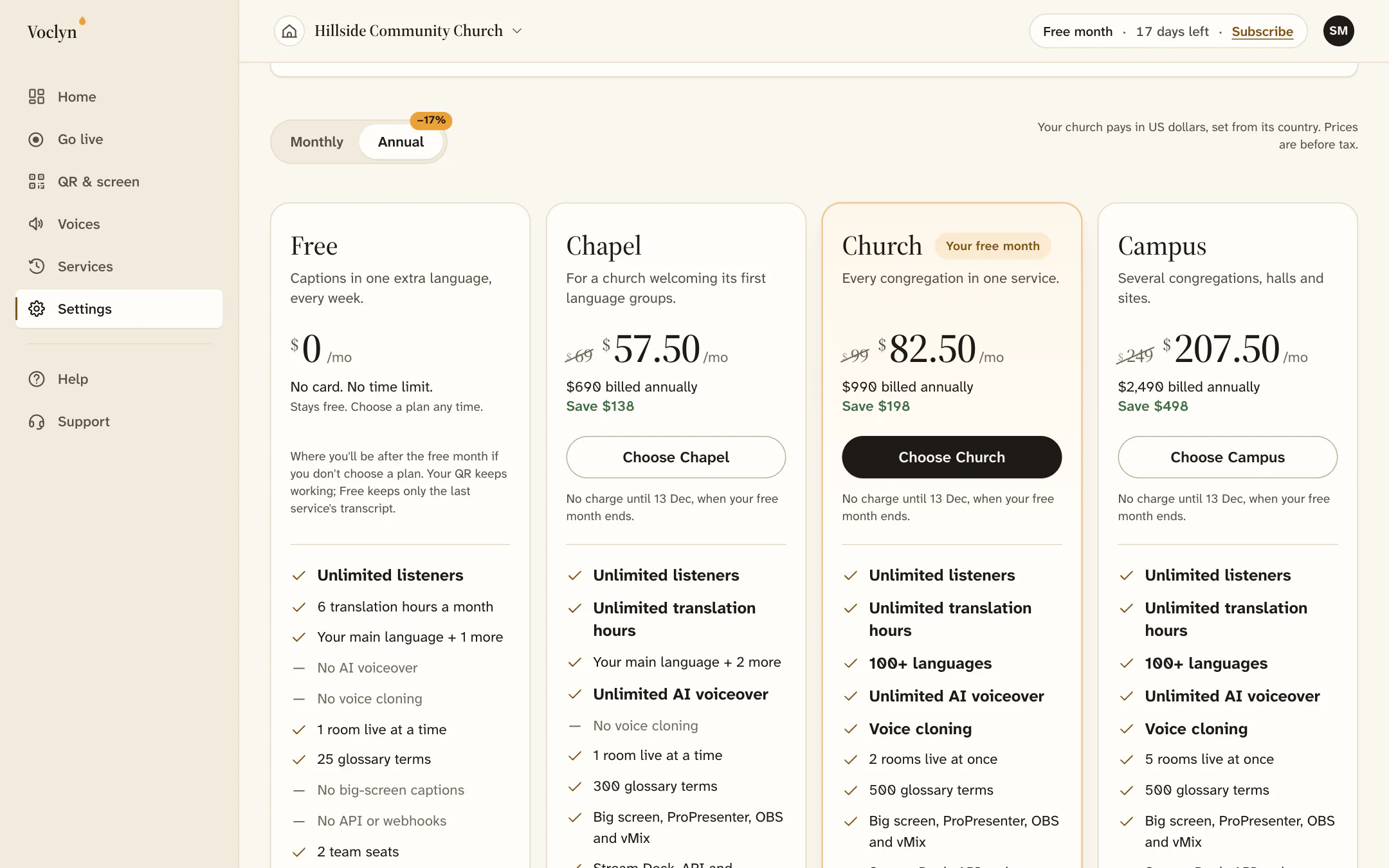
Need the board’s yes first? Send them voclyn.com/board, a one-page summary with the plans and their prices.
Change plan
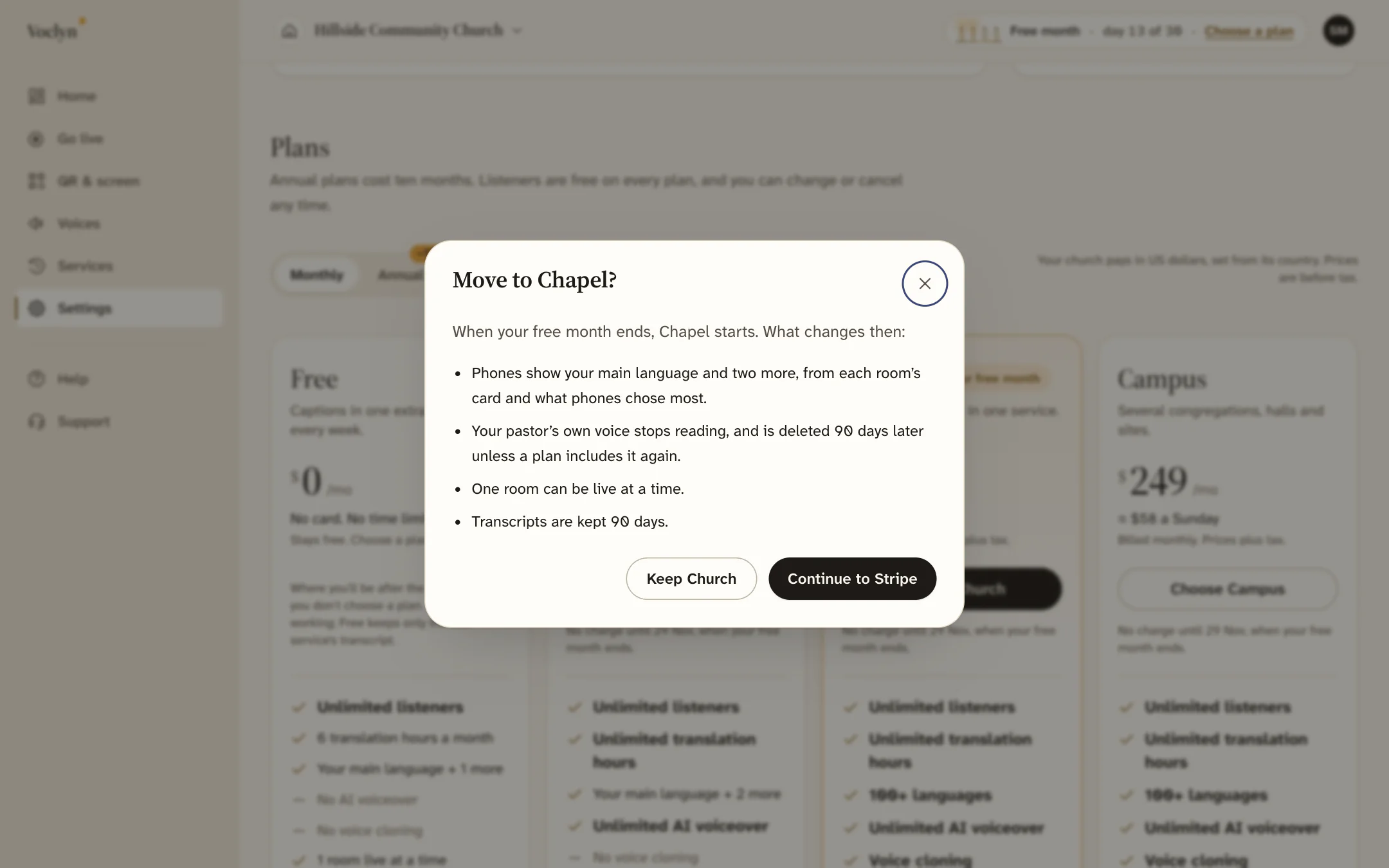
Each plan card in Billing says Switch to …; annual and monthly switch the same way. Moving to Chapel means phones get your main language and two more; moving to Free adds the month’s hours. A bigger plan starts at once, and Stripe shows the difference before anything changes. A smaller one starts at the end of the period, and Billing lists What changes then first: the AI voice, your voices beyond the new plan’s number, the big screen, the integrations, rooms live at once, seats, glossary terms and how long transcripts are kept.
Invoices, the card and the address
- Manage payment and invoices, beside your plan at the top of Billing, opens Stripe: every invoice and receipt as a PDF, the card, the billing address and the tax number.
- Stripe keeps the card; we only ever see its last four digits.
- Annual plans can be paid by invoice, or by pre-authorized debit in Canada, on request: write to hello@voclyn.com.
- A treasurer who pays can be made an owner: a church can have several.
Currency and tax
Churches in Canada pay in Canadian dollars, and everyone else in US dollars, set from the country in Settings › Church. The currency is fixed once a plan is chosen. Prices are before tax: GST/HST and BC PST are added where they apply, and every receipt carries the church’s name and address.
If a payment fails
The plan carries on for 14 days. The dashboard says Payment didn’t go through, and Billing says Payment overdue with the day to pay by and Update card for the owner. If no payment goes through in that time, the church moves to Free. Nothing is cut off in the middle of a service.
Cancel
- In Billing, choose Move to Free.
- Cancel Church? says what stays: your link, QR code, rooms and glossary. Continue to Stripe opens Stripe’s page, where you confirm.
- The plan runs to the end of the period you paid for, then the church is on Free. Until then Billing says Ends … beside the plan, with Keep Church to change your mind.
Free keeps only the last service’s transcript: older ones stay 14 more days, then go. Voices beyond Free are kept 90 days, unused, in case you come back. There are no refunds for part of a period.
To close the church altogether: Delete this church.
Questions
No. Only the owner changes the plan or the card, and opens payment and invoices. Admins see the plan and the plans.
Annual plans can be paid by invoice, or by pre-authorized debit in Canada, on request. Write to hello@voclyn.com from the owner's address.
No. Plan changes and limits are checked when a service starts, never in the middle of one.
Read next
Still need help?
A person answers hello@voclyn.com Sundays 7:00–13:00 Vancouver time, and as soon as we can on other days. Say which church and room it is, what the console and the phones show, and add a screenshot if you can.
- Sunday help opens 7:00 Vancouver time.
- Sunday mornings: +1 672 667 5501 · text
- Signed in? Write from Support in the dashboard’s sidebar, and the answer comes back there.