Integrations, from one page.
Settings › Integrations puts the captions in ProPresenter, OBS and vMix, the service buttons on a Stream Deck, and your own tools on Voclyn through the API and webhooks. Nothing to install: each one is a link or a key.
- Parts
- Big screen, Stream Deck, API keys, Webhooks
- Who
- Owners and admins; operators get Booth buttons
- API keys
- Up to 10
- Webhooks
- Up to 5 addresses
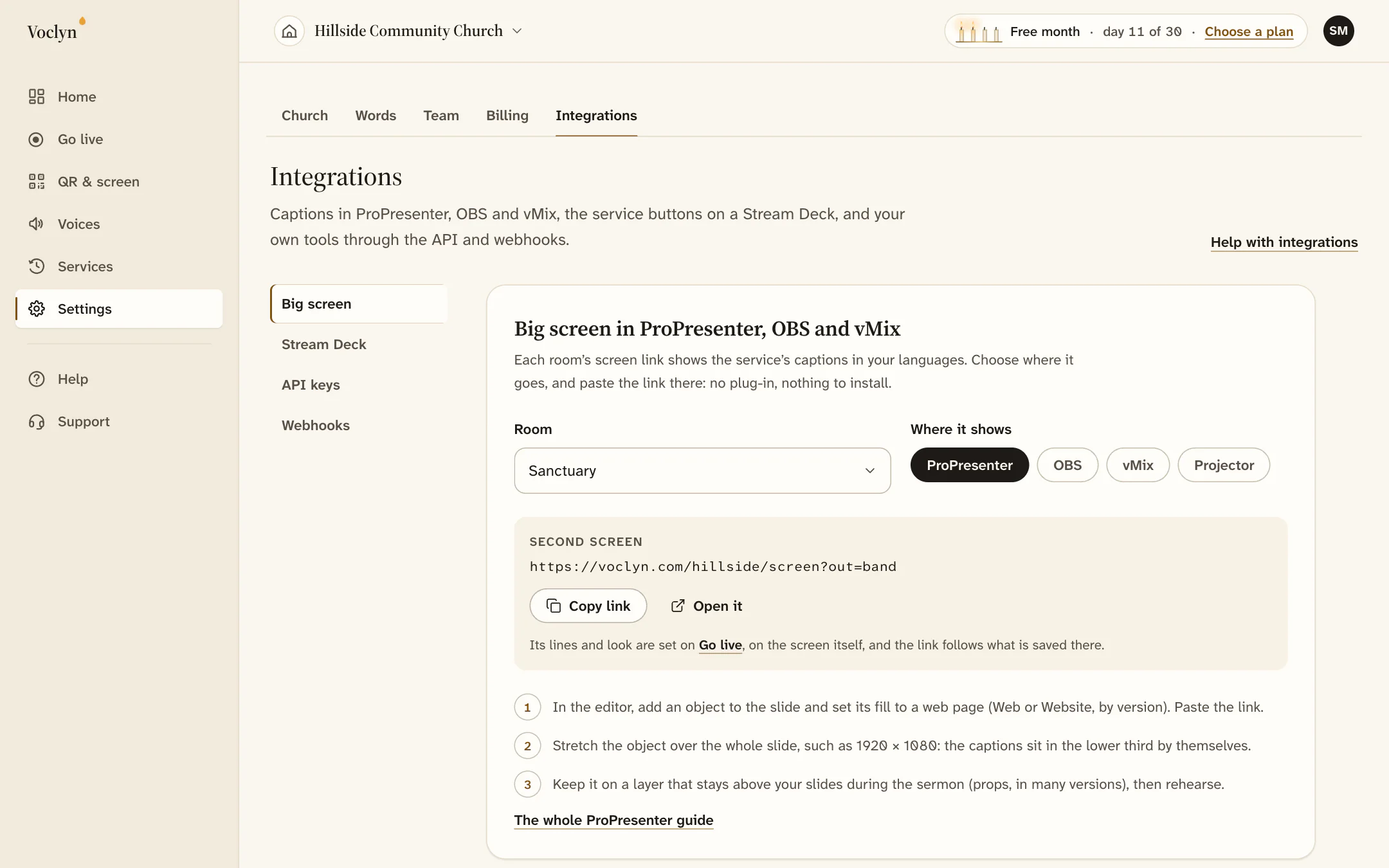
Captions in ProPresenter, OBS and vMix
- Choose the Room whose service you show.
- Choose where it shows: ProPresenter, OBS or vMix get the second screen’s link, for captions over the slides or the stream; Projector gets the big screen’s.
- Copy link, and paste it into your tool, following the steps under it.
Each screen’s lines and look are set on Go live, on the screen itself, and the link follows: change them there, not in your tool. The big screen.
Stream Deck and Companion
Each service button (Go live, Speech, Worship, Break and the rest) is one web address that a Stream Deck or Bitfocus Companion presses for you. Under Stream Deck and Companion, Make a booth key, then Copy each button’s address into your app. A booth key can only press the service’s buttons. Setup guide walks through both apps.
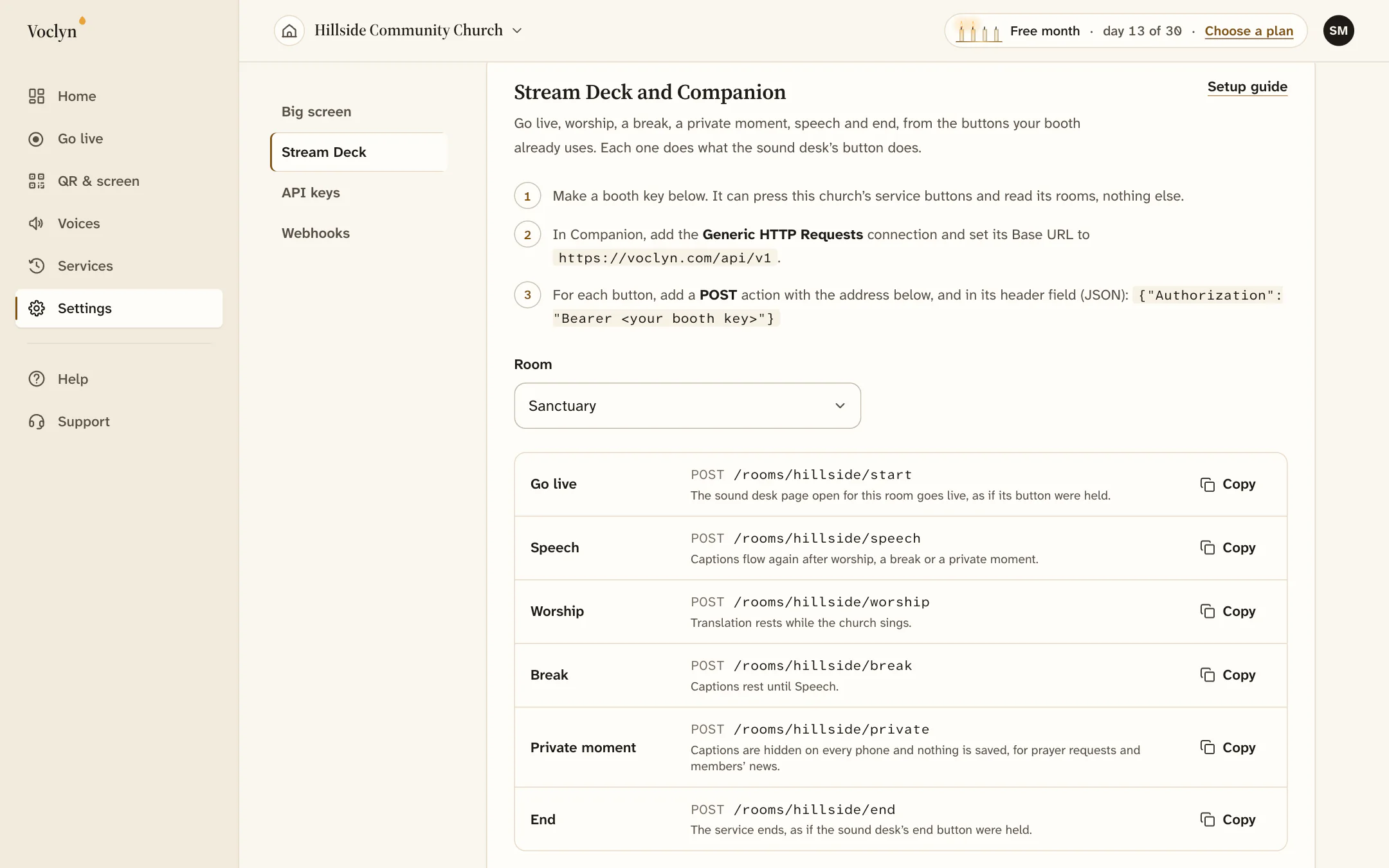
Operators find the same buttons under Booth buttons in their sidebar, and ask an owner or admin for a key. Stream Deck, step by step.
API keys
Owners and admins make keys under API keys: Booth buttons keys press the service buttons only, full keys also read rooms, past services and transcripts. A key is shown once, as it is made; revoke one at any time. The API.
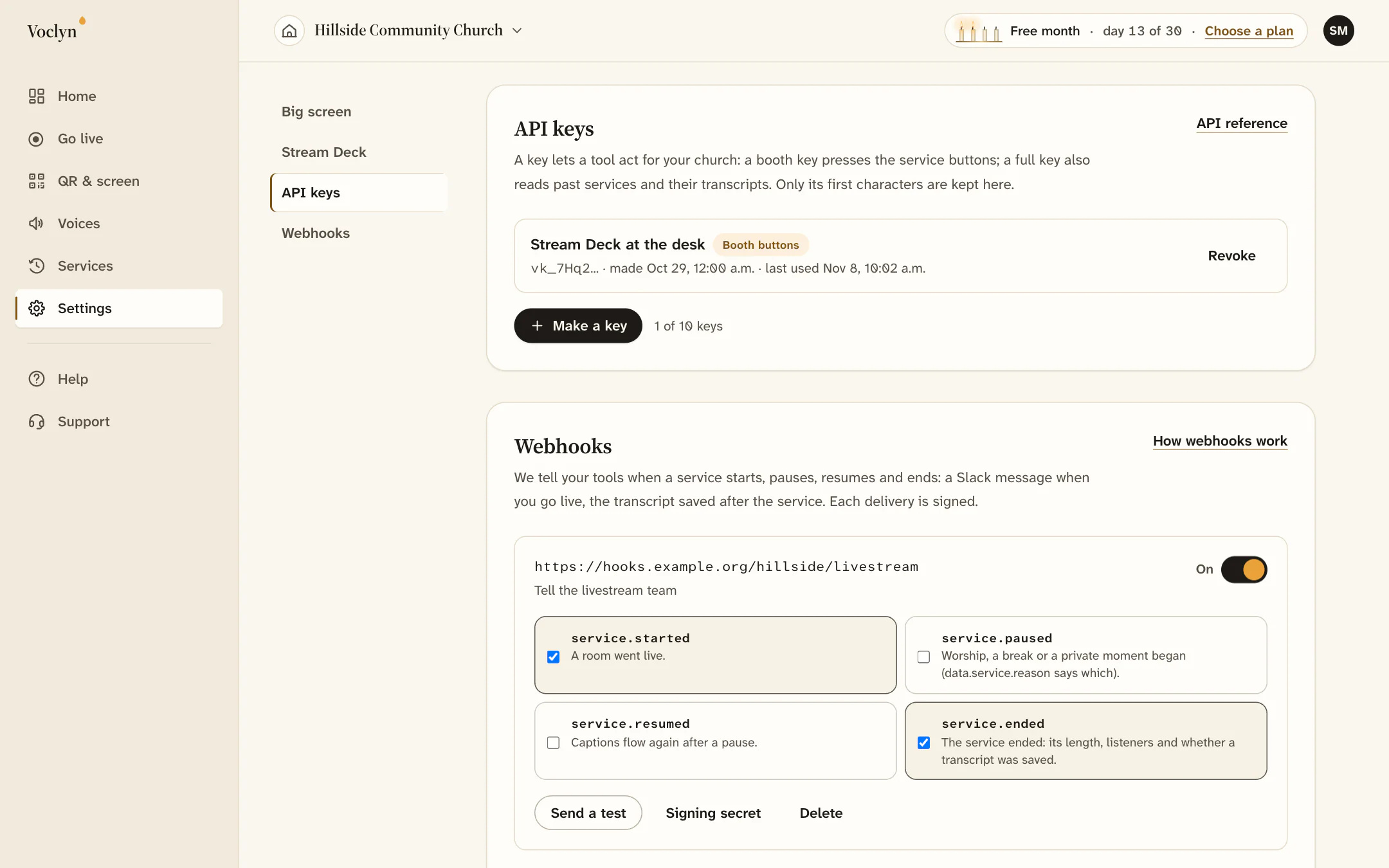
Webhooks
A webhook tells another tool when a service starts, pauses, resumes or ends: a Slack message, a Zap, your own server. Add the address, choose its events, and Send a test. Each delivery is signed with your signing secret. Webhooks.
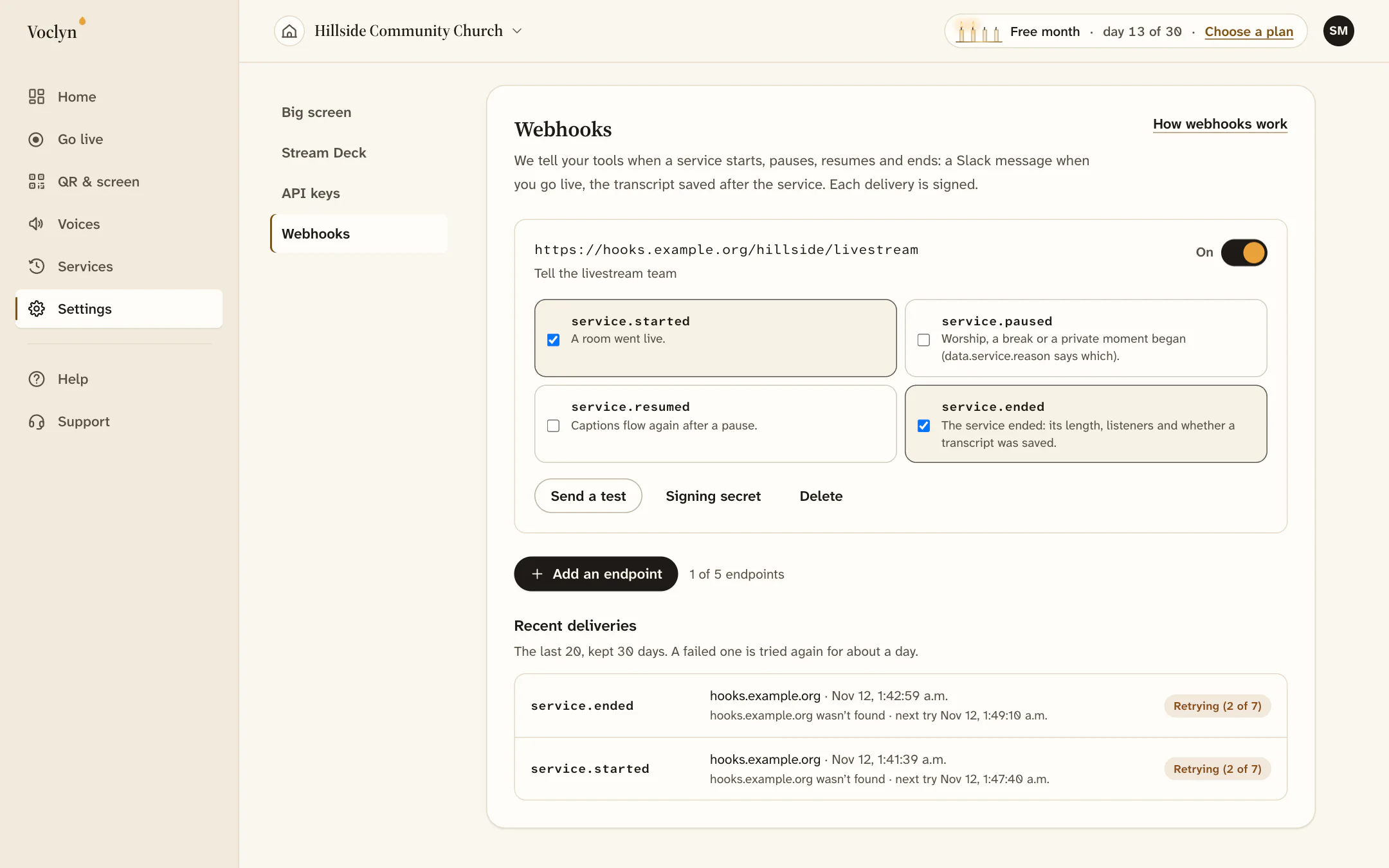
Questions
No. The big screen, booth buttons, the API and webhooks come with Chapel, Church and Campus and the free month. On Free the page shows them with a note, and keys and webhooks stop working.
No. Operators see Booth buttons and ask an owner or admin for a booth key.
Read next
Still need help?
A person answers hello@voclyn.com Sundays 7:00–13:00 Vancouver time, and as soon as we can on other days. Say which church and room it is, what the console and the phones show, and add a screenshot if you can.
- Sunday help opens 7:00 Vancouver time.
- Sunday mornings: +1 672 667 5501 · text
- Signed in? Write from Support in the dashboard’s sidebar, and the answer comes back there.