Languages: spoken, yours and every other.
Nothing to set for what is spoken: every language is detected, even mid-sentence. On Church and Campus, and in the free month, each phone chooses any of 100+. On Free and Chapel, phones read what is spoken and the languages you choose.
- At the front
- Detected by itself, even mid-sentence
- On Free
- What is spoken, and one language of your choice
- On Chapel
- What is spoken, and two languages of your choice
- On Church and Campus
- Any of 100+, chosen on each phone
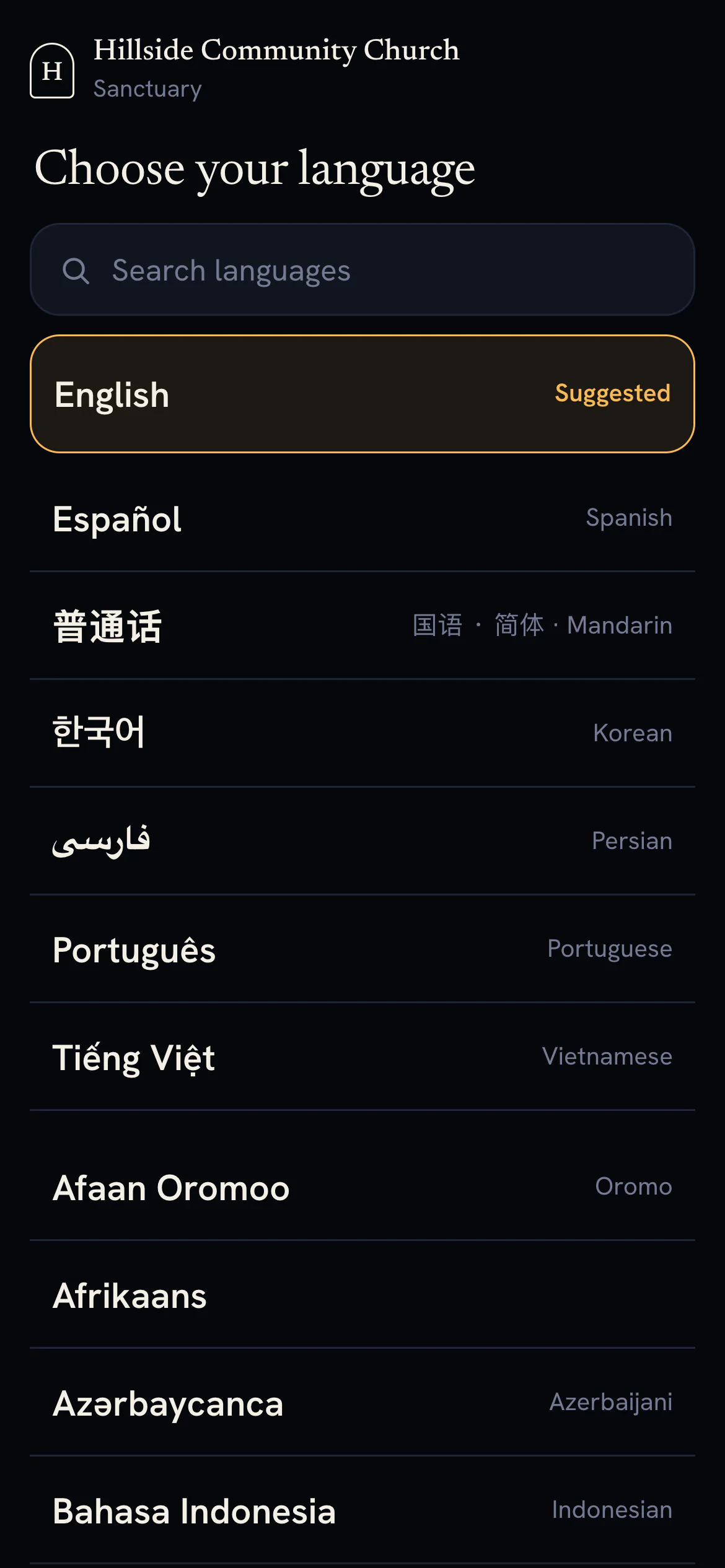
Its own language first
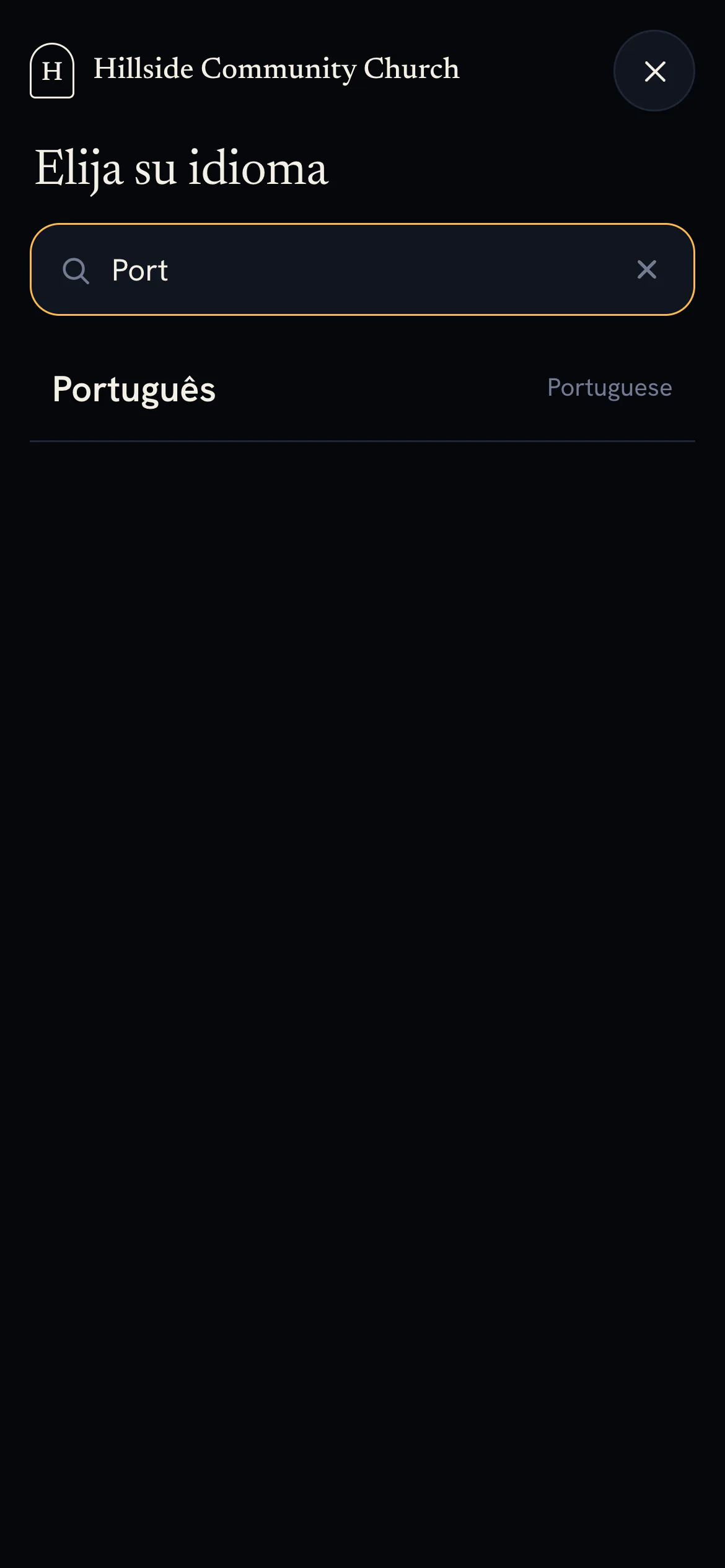
Then any of 100+
What is spoken
Nothing to set. Each sentence’s language is detected, and a switch in the middle of one is followed. The room learns from its services which language it speaks most.
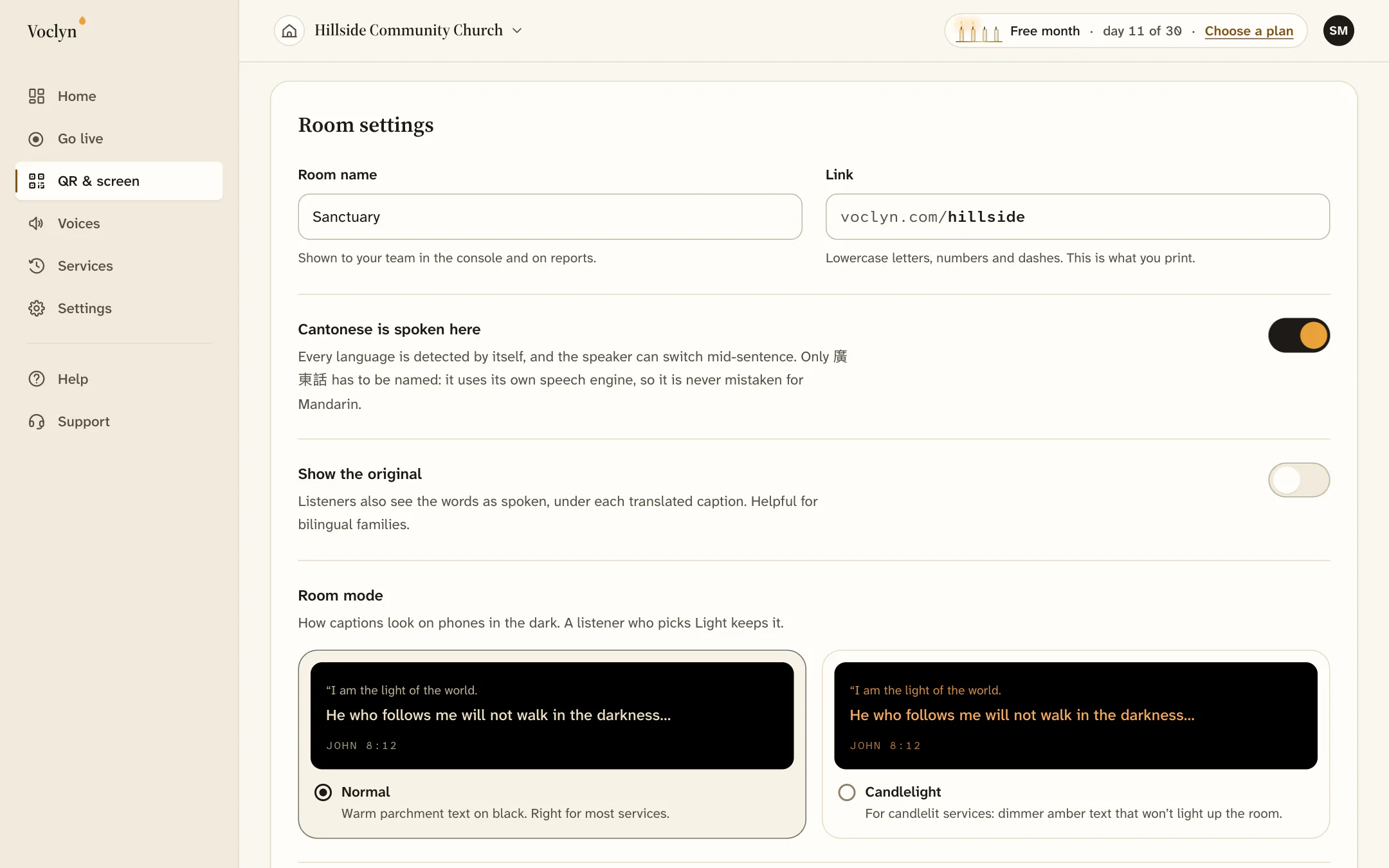
Only Cantonese is named, because it has its own speech engine. If anyone preaches, reads or prays in 廣東話, turn on Room settings › Cantonese is spoken here, then Save settings, before you go live.
Every language, on Church and Campus, and in the free month
Each phone chooses any of 100+: its own language first, then the languages read here most lately, then every other by its own name, with a search on top. The AI voice comes with any of them that has one, and Bible readings with any that has a published Bible.
On Go live, the Phones card shows the languages being read now. In QR & screen, On the card lists the ones phones wanted lately, each with + add.
When a great many languages are being followed in one room at once, a new phone is asked to choose one of yours for the moment.
Free and Chapel: one set of languages
Phones read what is spoken, as it is said, and the languages of your choice: one language on Free, two languages on Chapel. On Chapel the big screen shows the same set. Change it on Go live:
- In the Phones card, × takes a language off and Add a language adds one while there is room.
- Or choose a language for a big screen line: it joins the set while there is room, or takes the place of that line’s language, on phones too.
During a service, phones get the change from the next one. Every language comes with Church. Plans and the free month.
Your languages: On the card
- Open QR & screen › QR & print kit and find On the card. It lists the room’s languages in the order they print.
- Add one by searching under the list, or with + add beside one under Phones wanted these lately. The arrows move a language up or down, and × takes it off.
- Save the card (or Discard). The pew card follows; reprint it if it changed.
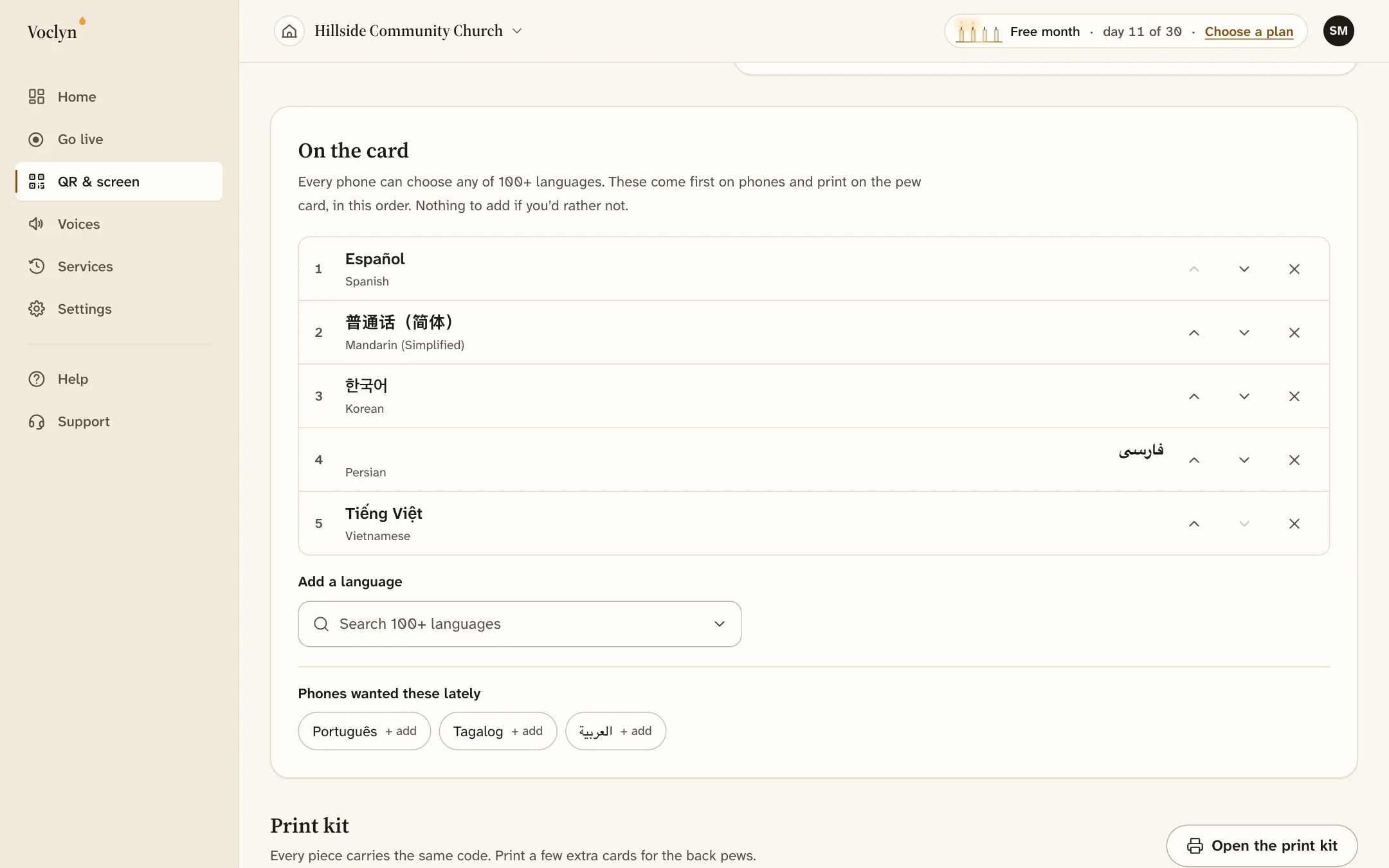
On Free and Chapel the card holds the same set as Go live’s Phones card: your main language and one more on Free, your main language and two more on Chapel. A longer list is kept, marked “not shown on Chapel”, and comes back with a bigger plan. Only owners and admins change the card.
Ask for a language, on Free and Chapel
On these plans the list on phones is the church’s own. Under it, phones say Don’t see your language? Ask for it. The church sees which language someone asked for, and nothing about them: the requests show under On the card as Phones wanted these lately.
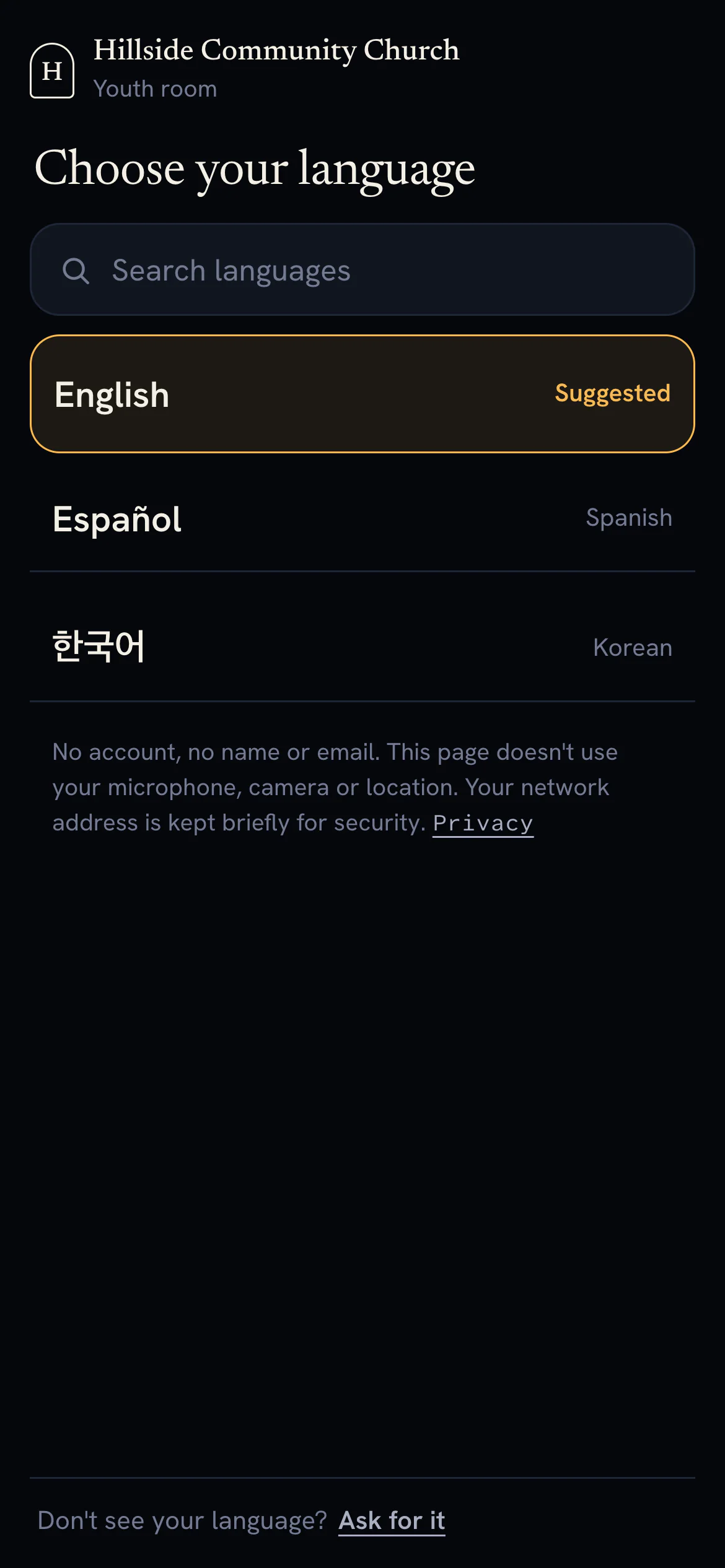
Ask for it
What each language gets
| Every language | Where it has one | |
|---|---|---|
| Captions | Yes, as the plan allows | — |
| AI voice | — | Paid plans. The AI voice |
| Your own cloned voice | — | Church and Campus, and the free month. Clone your own voice |
| Published Bible | — | English, Spanish, Korean, Chinese, when read in one of them. Bible readings |
Changing languages
Speakers and phones can switch at any time. The big screen’s lines change at once, on Go live. The details: Switching or adding languages.
Questions
100+ on Church and Campus, and in the free month. On Free, phones read what is spoken and one language of your choice; on Chapel, two languages.
Yes, and more. Each sentence's language is detected, even when a speaker switches mid-sentence, and every phone gets it in its own language.
No. Every language is detected. Only Cantonese is named, with Cantonese is spoken here in Room settings, because it has its own speech engine.
Read next
Still need help?
A person answers hello@voclyn.com Sundays 7:00–13:00 Vancouver time, and as soon as we can on other days. Say which church and room it is, what the console and the phones show, and add a screenshot if you can.
- Sunday help opens 7:00 Vancouver time.
- Sunday mornings: +1 672 667 5501 · text
- Signed in? Write from Support in the dashboard’s sidebar, and the answer comes back there.