Create your church.
Type your church’s name and choose Create my church. Its link and QR code are made from the name; an email keeps it, and your first month is 30 days of the Church plan, normally US$99 a month, with nothing charged unless you choose a plan, with no card.
- It asks
- Your church's name
- To keep it
- An email address; a password later, if you like
- First month
- The Church plan (US$99 a month), free for 30 days, no card
- Per account
- Up to three churches
Type your church's name
Choose Start your free month anywhere on voclyn.com. No account is needed yet.
- Under What’s your church called?, type the name as it is written on the sign. It goes on your QR cards and every listener’s phone.
- Your link appears under it as you type, for example
voclyn.com/grace-fellowship, and is checked at once. If it is taken, the next free one is picked for you; Change lets you type your own. - Choose Create my church.
A link is 3 to 40 characters: lowercase letters, numbers and dashes. A name written in another script, such as 恩典堂, has no Latin letters to make one from, so you type the link yourself.
Keep it with your email
The QR code is ready on the next screen, and nothing is created until you keep it.
- Type your email address.
- Choose Keep my church, free. If Continue with Google is shown, that works too.
- Open the email Confirm your email for Voclyn and press its button: a page titled Confirm your email. opens, where you choose Confirm my email once more. Reading it on your phone? Type the 6-digit code under the button into Code from the email on the screen you started on, and choose Continue instead. The button and the code work once, for an hour.
- Your church opens its doors. If you pressed the email’s button on another device, it waits there on its name: choose Create my church once more.
Not now? Your church stays saved in this browser for 30 days, and the same steps pick it up again. Nothing in the email asks for a card. Every new church gets the Church plan, normally US$99 a month (C$139 in Canada), free for 30 days with no card: unlimited listeners, unlimited translation hours, 100+ languages, unlimited AI voiceover and voice cloning. Then it chooses a plan or stays on Free, and nothing is charged unless it chooses one.
What is set up for you
Onboarding asks one question, so the rest starts from sensible defaults that you can change at any time:
- A room called Sanctuary with the link and QR code. Rooms.
- Your languages, taken from your browser, which print on the pew card. Languages.
- Every language spoken at the front is detected by itself. Only Cantonese is named, in Room settings.
- Your time zone and country, from your browser. The country sets the currency of your plan: Canadian dollars in Canada, US dollars everywhere else.
- Your tradition’s words, read from the name: a parish whose name says Catholic starts with Mass, 天主 and 하느님, an Orthodox one with the Divine Liturgy, and others with Service, 神 and 하나님. They are the first words in your glossary, with the church’s name. The glossary.
Your first steps after
The church opens on Your church’s light is ready. From there, Rehearse for one minute opens the console, and Print pew cards opens the print kit. Home then keeps a line, Ready for your first Sunday, until each step is done:
- Test with your phone: go live and follow along on your own phone.
- QR in the pews: print the kit, or download the slide.
- Record a voice: optional, on plans with voice cloning, and only with your pastor’s written permission.
- Keep transcripts: already on for a new church, in Room settings.
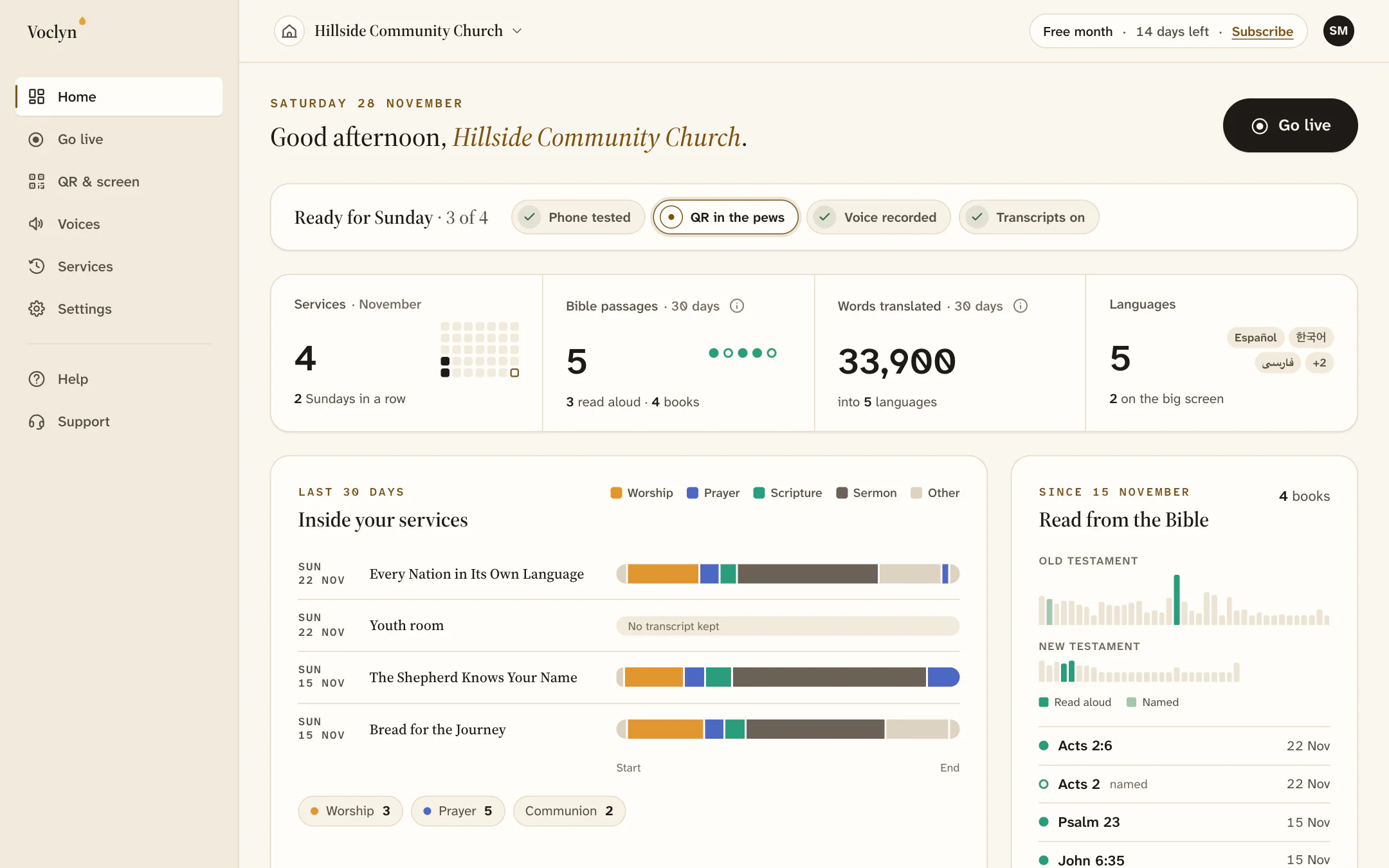
A banner also asks for your name and a password, so Sunday morning needs no email to sign in. Not now hides it for two weeks. Sign-in and your account.
Then go through before your first Sunday.
Starting another church
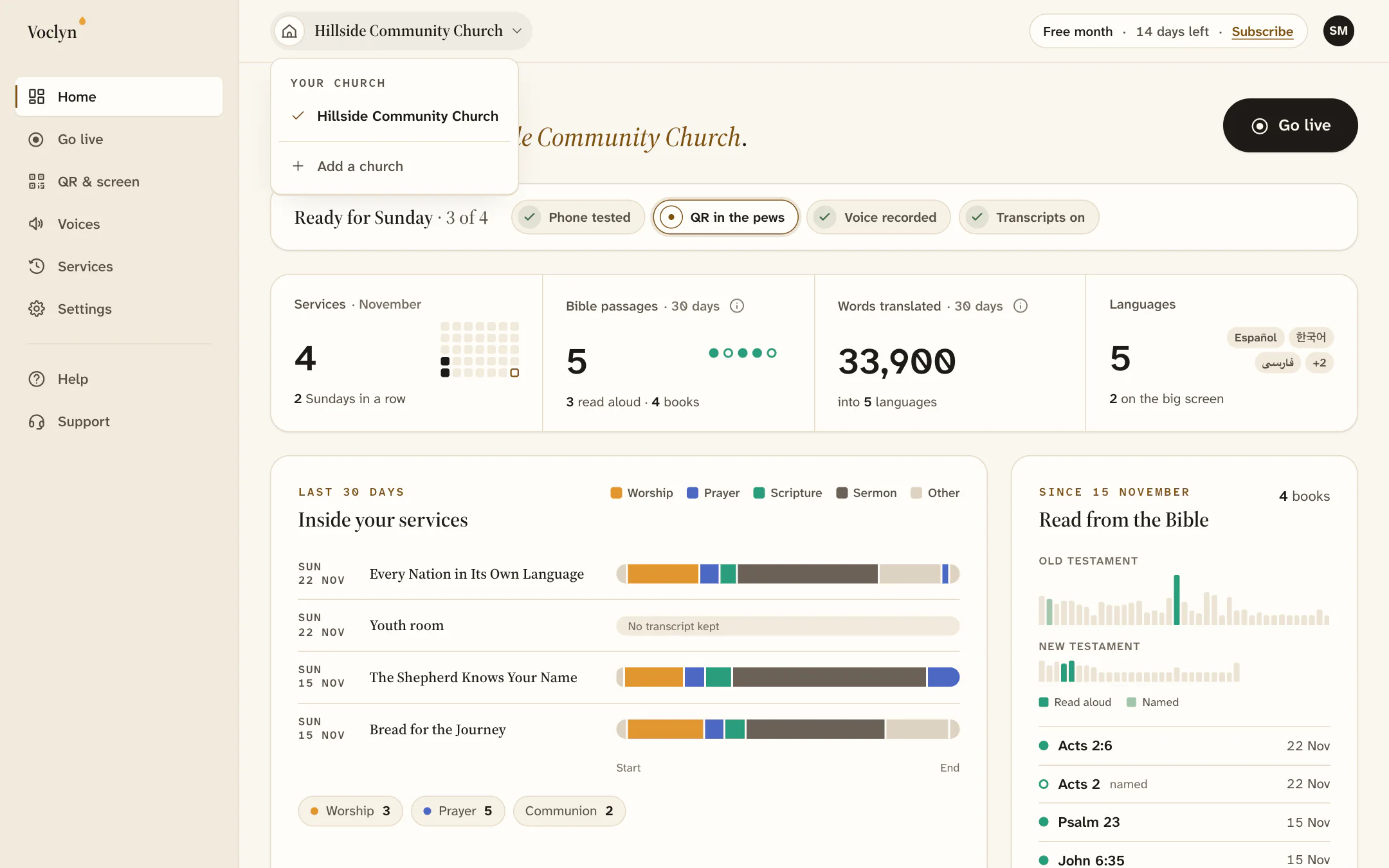
One account can start up to three churches, each with its own plan, link and team. Open the menu on your church’s name, at the top left of the dashboard, and choose Add a church: a second church skips the email step and opens straight away. To help at a church someone else runs, ask them to invite you instead: Your team and roles.
Questions
Every new church gets the Church plan, normally US$99 a month (C$139 in Canada), free for 30 days with no card: unlimited listeners, unlimited translation hours, 100+ languages, unlimited AI voiceover and voice cloning. Then it chooses a plan or stays on Free, and nothing is charged unless it chooses one.
You choose a plan in Settings › Billing, or the church moves to Free by itself and nothing is charged. Your link, QR code, rooms and glossary stay as they are.
It can take a minute, and it can land in spam. After 60 seconds the page offers Send again. One email is sent per address each minute, and only the newest email's button and code work.
Type the 6-digit code under the email's button into Code from the email on the computer and choose Continue: your church opens there, logo and all. Already pressed the button on the phone? The church is ready there; on the computer, choose Sign in, then Email me a sign-in link, and type that email's code.
Read next
Still need help?
A person answers hello@voclyn.com Sundays 7:00–13:00 Vancouver time, and as soon as we can on other days. Say which church and room it is, what the console and the phones show, and add a screenshot if you can.
- Sunday help opens 7:00 Vancouver time.
- Sunday mornings: +1 672 667 5501 · text
- Signed in? Write from Support in the dashboard’s sidebar, and the answer comes back there.